85
English
5. How to Connect
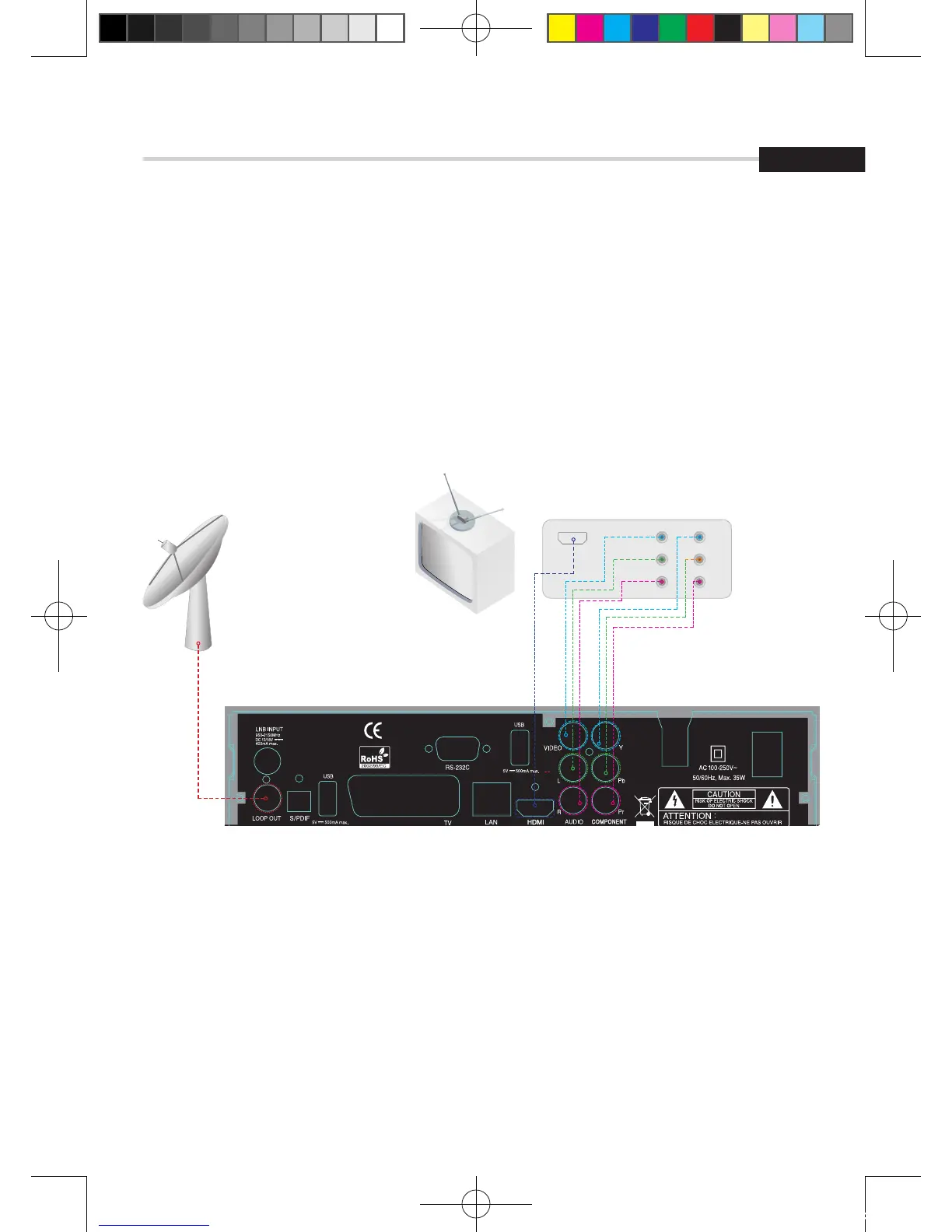
F15 - When Connecting the Receiver to a TV
1. Connect the TV antenna to TV ANT IN
2. Connect the Video and Audio of TV to the Video and Audio. Connect Red and White
connector to Audio R and Audio L, and Yellow into Video port respectively
3. Connect the Component Video of your TV to Component Video for best quality: connect
the Y, Pb and Pr of your TV to Y, Pb and Pr respectively
4. Connect your satellite dish



 To Next Page