132
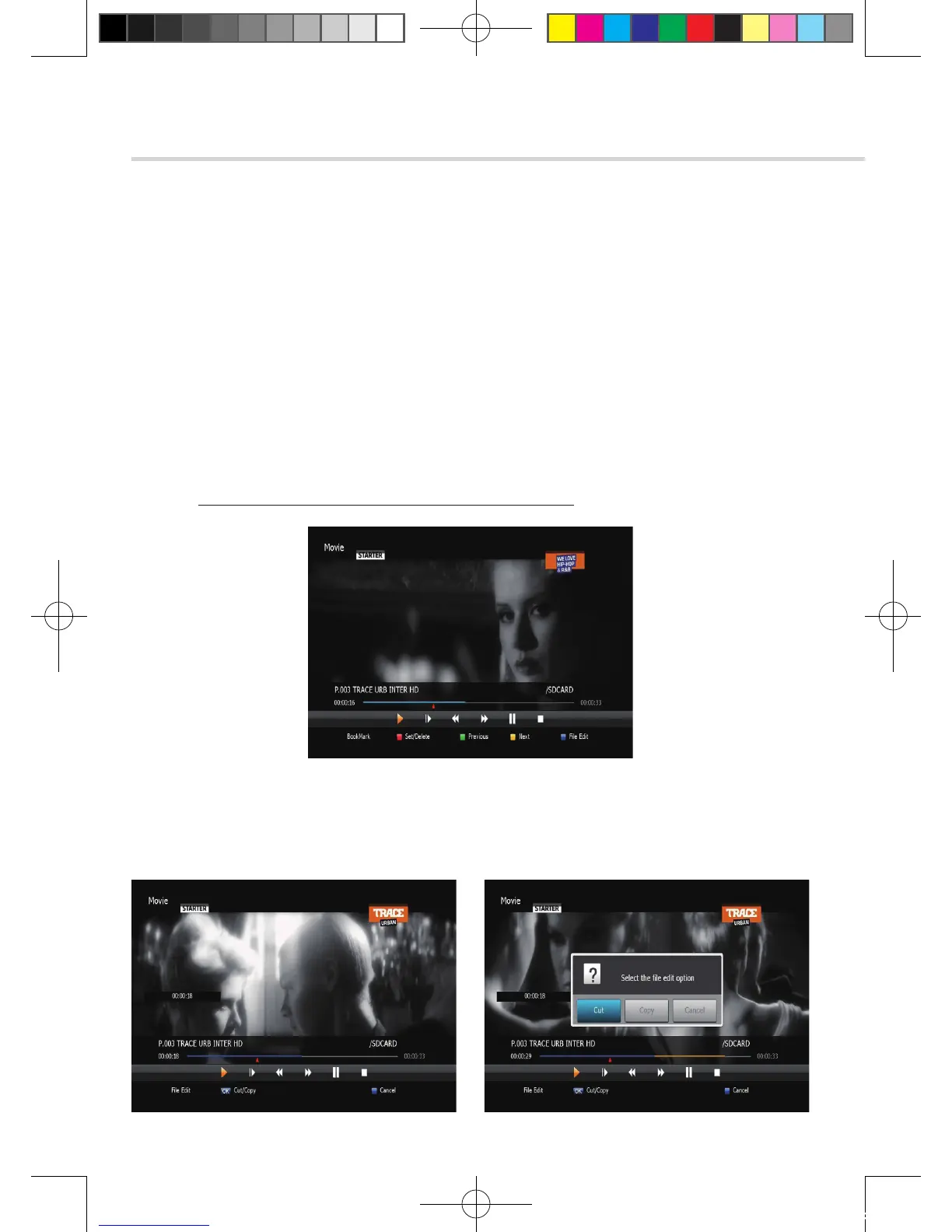
Figure 6.9.8
Figure 6.9.9 Figure 6.9.10
6. Operation
6.9 DVR
▣ Bookmark
To mark a specific place in a file for later retrieval. <Figure 6.9.8>
▪ RED: Press this button and red small triangle cursor will be placed at that position.
If you want to delete the bookmarked position, press a this button once more when
red small triangle cursor appear.
▪ GREEN: Press this button and the current position will jump to the next bookmarked
position and playback starts from this point.
▪ YELLOW: Press this button and the current position will jump to the pre-bookmarked
position and playback starts from this point.
✽ Note: The maximum number of the bookmark is 20 in a file.
▪ BLUE: Press this button and edit(copy, cut) the file. <Figure 6.9.9> Press OK button to select
edit start position and one more OK button to select edit end position. Select cut or copy.
< Figure 6.9.10 >
[2012.10.12]D15+F15_russian+english.indd 132 2012-10-12 11:23:23



 To Next Page