Operation
56
Instructions for Use Oxylog 3000 SW 1.n
Setting apnoea ventilation
On the display:
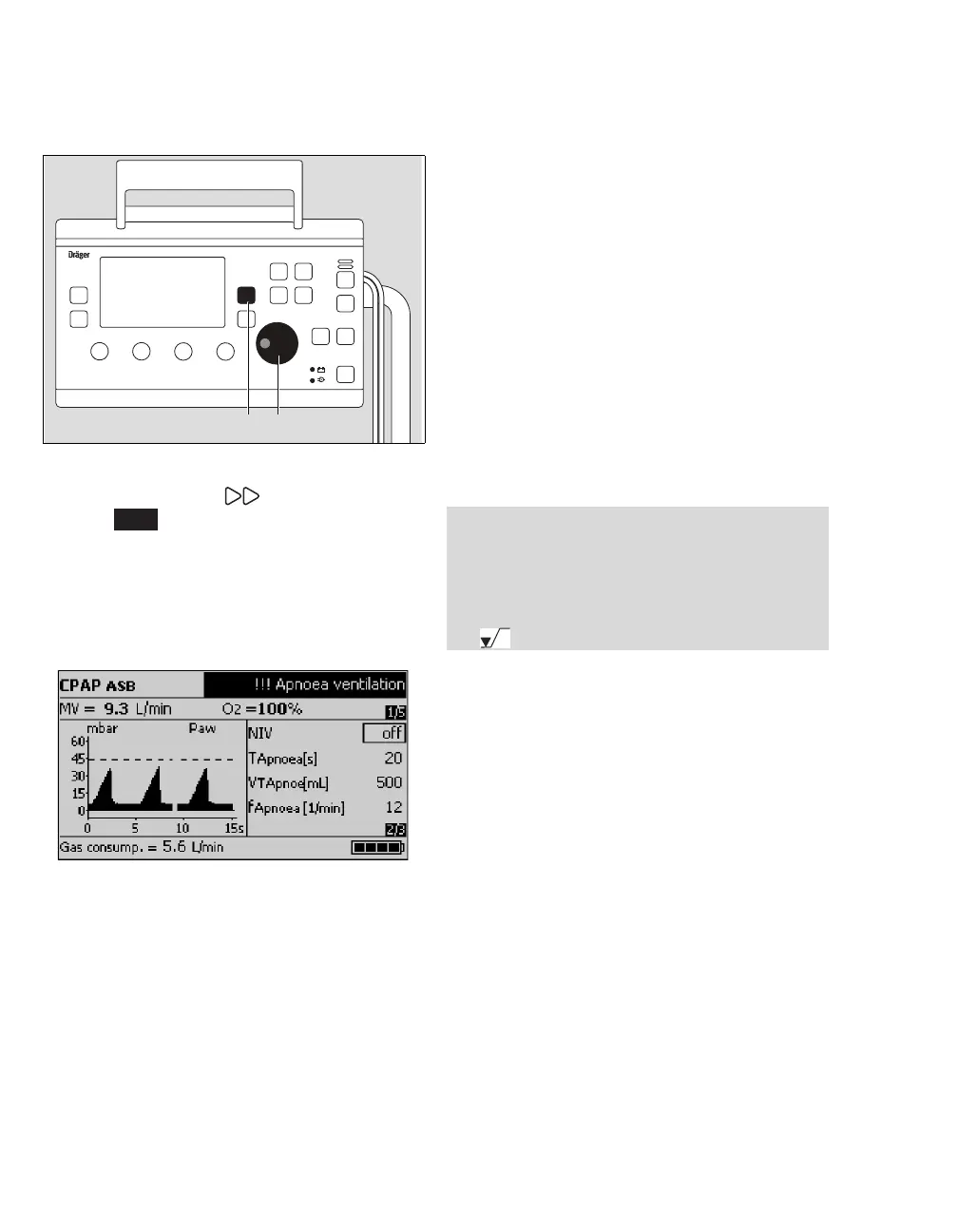
1 Press the Settings key (A) until
page appears.
2 Set TApnoea with the rotary knob (B) to a value
between 15 and 60 seconds.
The parameters fApnoea and VTApnoea, which are
required for setting apnoea ventilation, are now
displayed:
3 Set fApnoea and VTApnoea.
4 Set Pmax. This determines the maximum
airway pressure allowed during apnoea
ventilation.
The ventilation time ratio I:E = 1:1.5 and the plateau
time Tplat = 0 are preset during apnoea ventilation.
To switch apnoea ventilation OFF
z Set TApnoea to OFF.
To end apnoea ventilation
z Press the Alarm Reset key.
The ventilator resumes ventilating with the original
mode and parameter settings (CPAP).
The manufacturer default settings are:
–fApnoea = 12 /min
–VTApnoea
=500mL
These default settings can be configured.
Refer to "Customer Service Mode" on page 79 for
additional information.
06837170screen 13
Oxylog 3000
A B
2/3
NOTE
Apnoea ventilation can only be activated in the
ventilation mode CPAP without NIV.
The minimum ventilation required by the patient
must be monitored via the lower alarm limit
MV .



 To Next Page
 Loading...










