VigorAP 900 User’s Guide
90
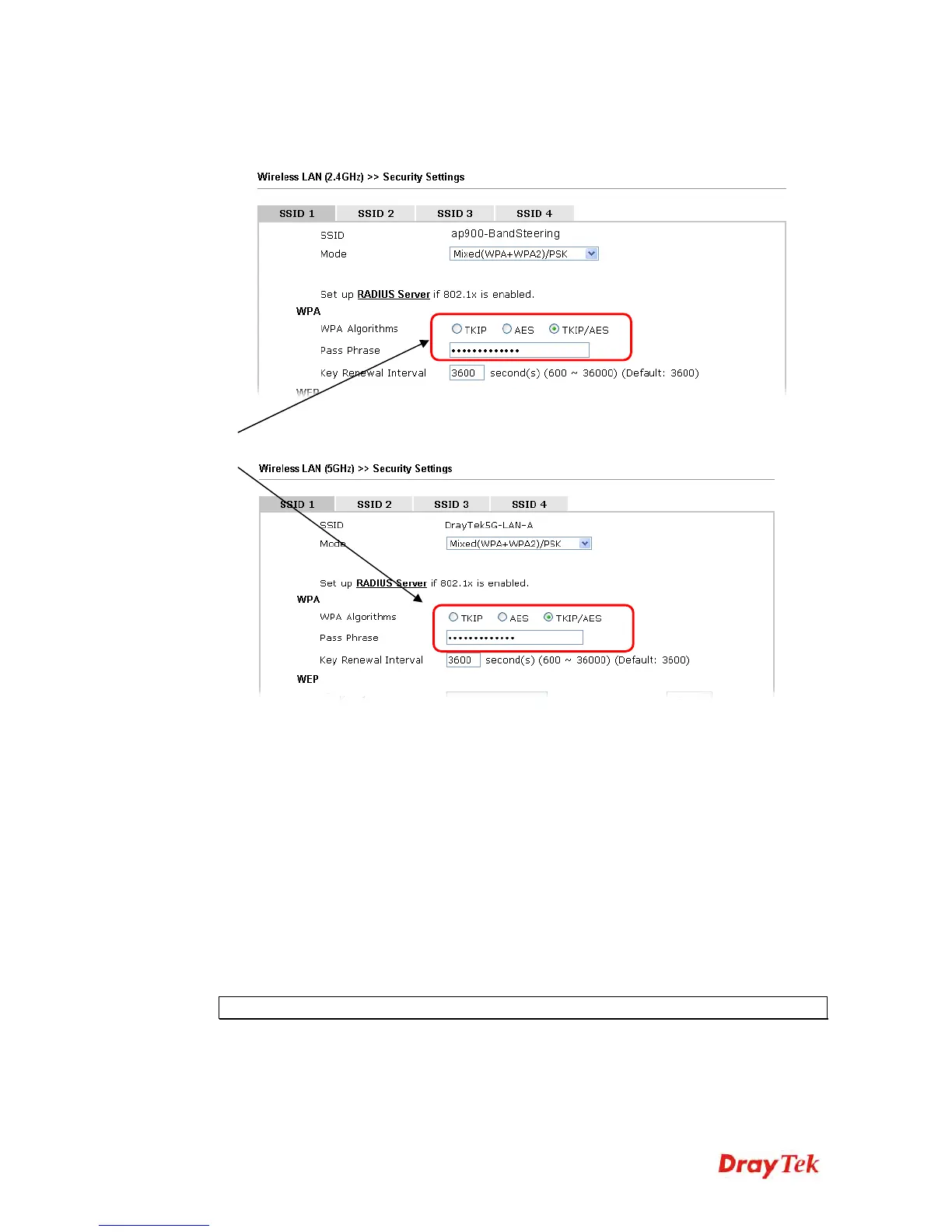
11. Open Wireless LAN (2.4GHz)>>Security and Wireless LAN (5GHz)>>Security.
Configure Security as 12345678 for both pages. Click OK to save the settings.
12. Now, VigorAP 900 will let the wireless clients connect to less congested wireless LAN,
such as 5GHz to prevent from network congestion.
3
3
.
.
7
7
.
.
1
1
1
1
S
S
t
t
a
a
t
t
i
i
o
o
n
n
C
C
o
o
n
n
t
t
r
r
o
o
l
l
Station Control is used to specify the duration for the wireless client to connect and
reconnect VigorAP. If such function is not enabled, the wireless client can connect VigorAP
until it shuts down.
Such feature is especially useful for free Wi-Fi service. For example, a coffee shop offers
free Wi-Fi service for its guests for one hour every day. Then, the connection time can be set
as “1 hour” and reconnection time can be set as “1 day”. Thus, the guest can finish his job
within one hour and will not occupy the wireless network for a long time.
Note: Up to 300 Wireless Station records are supported by VigorAP.
Same value
for 2.4GHz
and 5GHz













 To Next Page