VigorAP 900 User’s Guide
26
along with its status code.
AP Discovery
Click this button to open the AP Discovery dialog. VigorAP 900
can scan all regulatory channels and find working APs in the
neighborhood.
This option is not available when Universal Repeater is
selected as the Operation Mode.
After finishing this web page configuration, please click Next to continue.
2
2
.
.
7
7
.
.
5
5
C
C
o
o
n
n
f
f
i
i
g
g
u
u
r
r
i
i
n
n
g
g
5
5
G
G
H
H
z
z
S
S
e
e
c
c
u
u
r
r
i
i
t
t
y
y
S
S
e
e
t
t
t
t
i
i
n
n
g
g
s
s
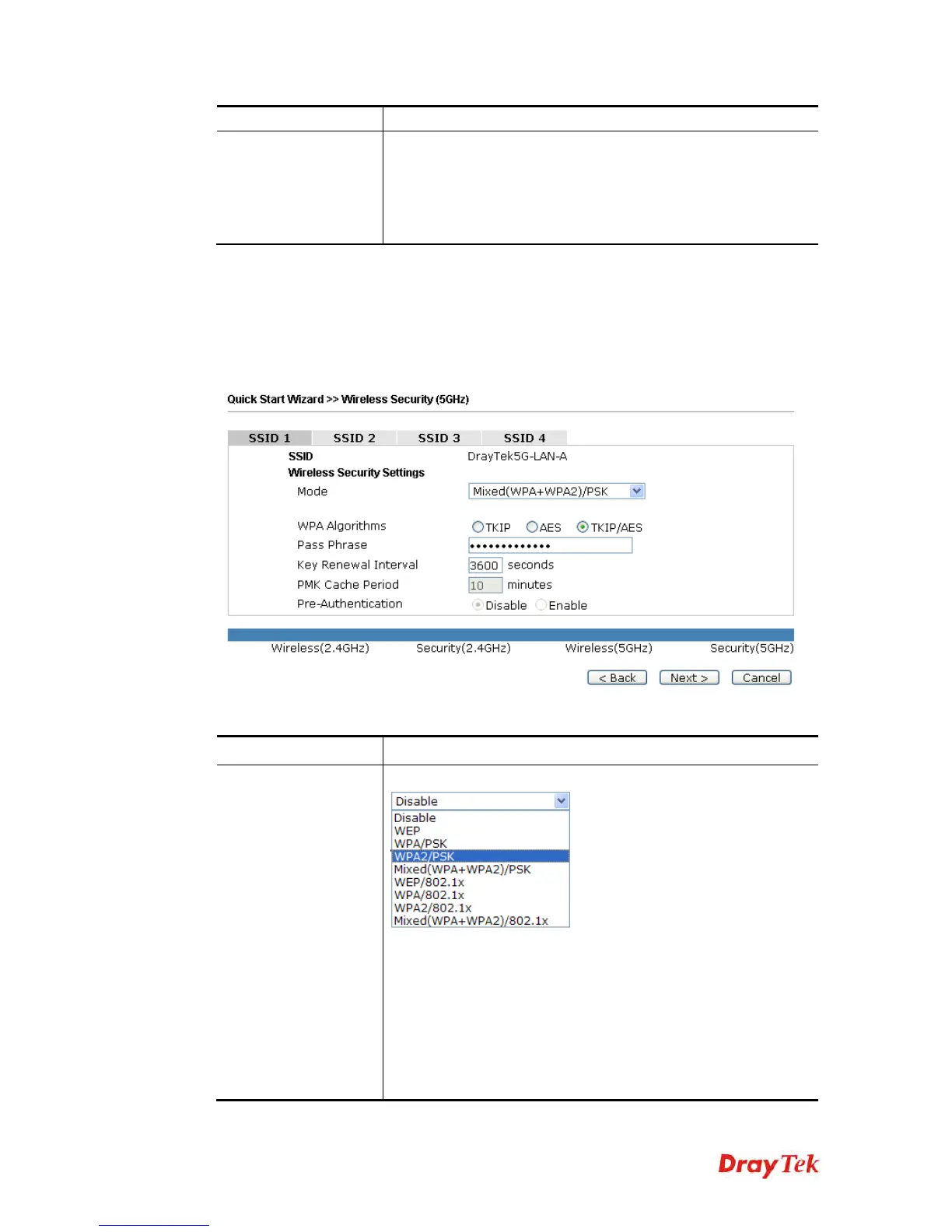
VigorAP 900 offers 5GHz wireless connection capability. You can setup 5G features in
Quick Start Wizard first. Once the USB 5GHz wireless dongle connects to VigorAP 900, it
can work immediately.
Available settings are explained as follows:
Item Description
Mode
There are several modes provided for you to choose.
Disable - The encryption mechanism is turned off.
WEP - Accepts only WEP clients and the encryption key should
be entered in WEP Key.
WPA/PSK or WPA2/PSK or Mixed (WPA+WPA2)/PSK -
Accepts only WPA clients and the encryption key should be
entered in PSK. The WPA encrypts each frame transmitted from
the radio using the key, which either PSK (Pre-Shared Key)
entered manually in this field below or automatically negotiated













 To Next Page