VigorAP 900 User’s Guide
37
Provision
in Vigor2860 series. When both Vigor2860 series and VigorAP
900 have such feature enabled, once VigorAP 900 is registered
to Vigor2860 series, the WLAN profile pre-configured on
Vigor2860 series will be applied to VigorAP 900 immediately.
Thus, it is not necessary to configure VigorAP 900 separately.
3
3
.
.
3
3
.
.
2
2
A
A
P
P
M
M
L
L
o
o
g
g
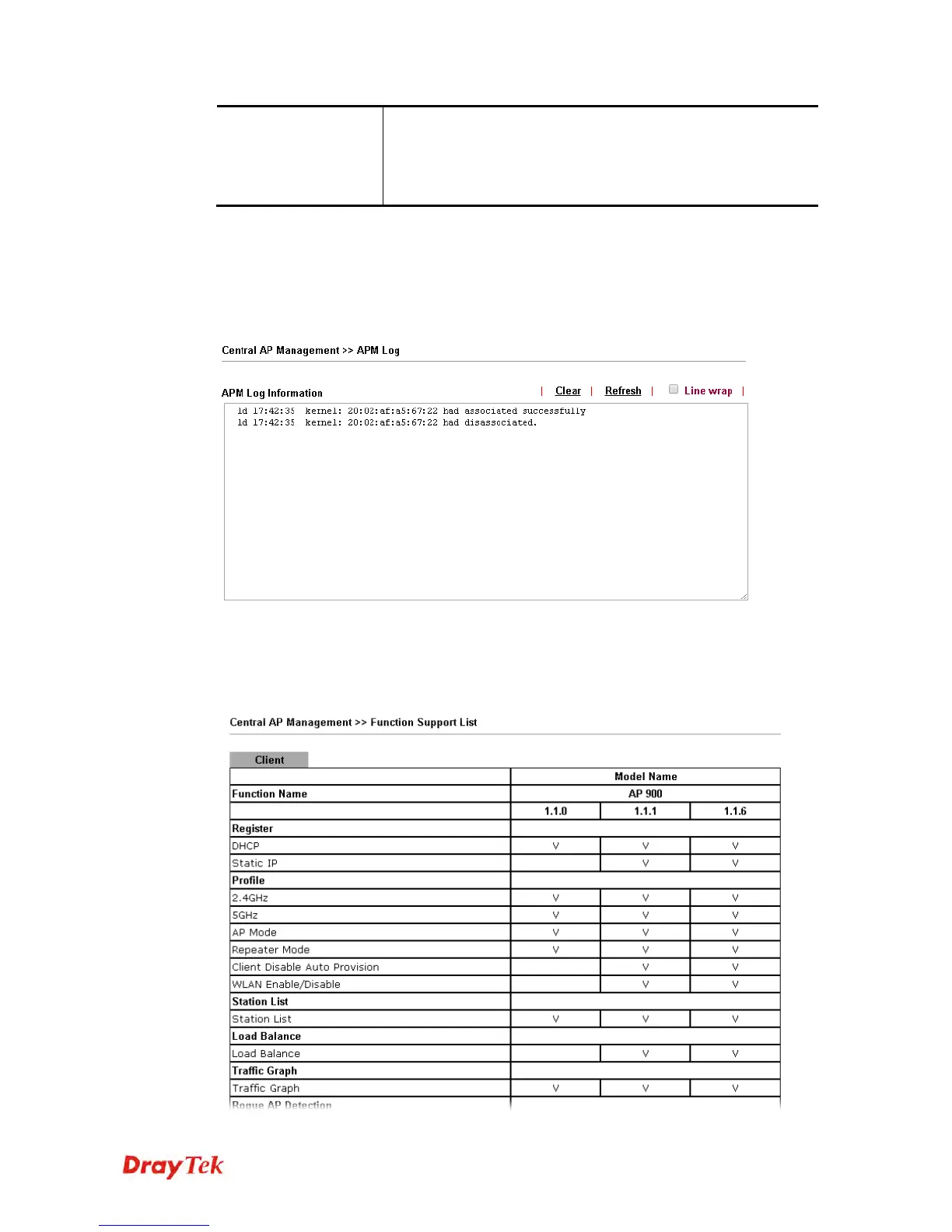
This page will display log information related to wireless stations connected to VigorAP 900
and central AP management.
Such information also will be delivered to Vigor router (e.g., Vigor2860 or Vigor2925 series)
and be shown on Central AP Management>>Event Log of Vigor router.
3
3
.
.
3
3
.
.
3
3
F
F
u
u
n
n
c
c
t
t
i
i
o
o
n
n
S
S
u
u
p
p
p
p
o
o
r
r
t
t
L
L
i
i
s
s
t
t
Click the Client tab to list the AP management functions that the Access Points support
under different firmware versions.













 To Next Page