VigorAP 900 User’s Guide
169
Item Description
Syslog Access Setup
Enable - Check Enable to activate function of Syslog.
Server IP Address -The IP address of the Syslog server.
Destination Port -Assign a port for the Syslog protocol. The
default setting is 514.
Log Level - Specify which level of the severity of the event will
be recorded by Syslog.
Mail Alert Setup
Check Enable to activate function of mail alert.
SMTP Server - The IP address of the SMTP server.
Mail To - Assign a mail address for sending mails out.
Mail From - Assign a path for receiving the mail from outside.
User Name - Type the user name for authentication.
Password - Type the password for authentication.
User Login - VigorAP will send an e-mail out when a user
accesses into the user interface by using web or telnet.
3
3
.
.
1
1
3
3
.
.
6
6
T
T
i
i
m
m
e
e
a
a
n
n
d
d
D
D
a
a
t
t
e
e
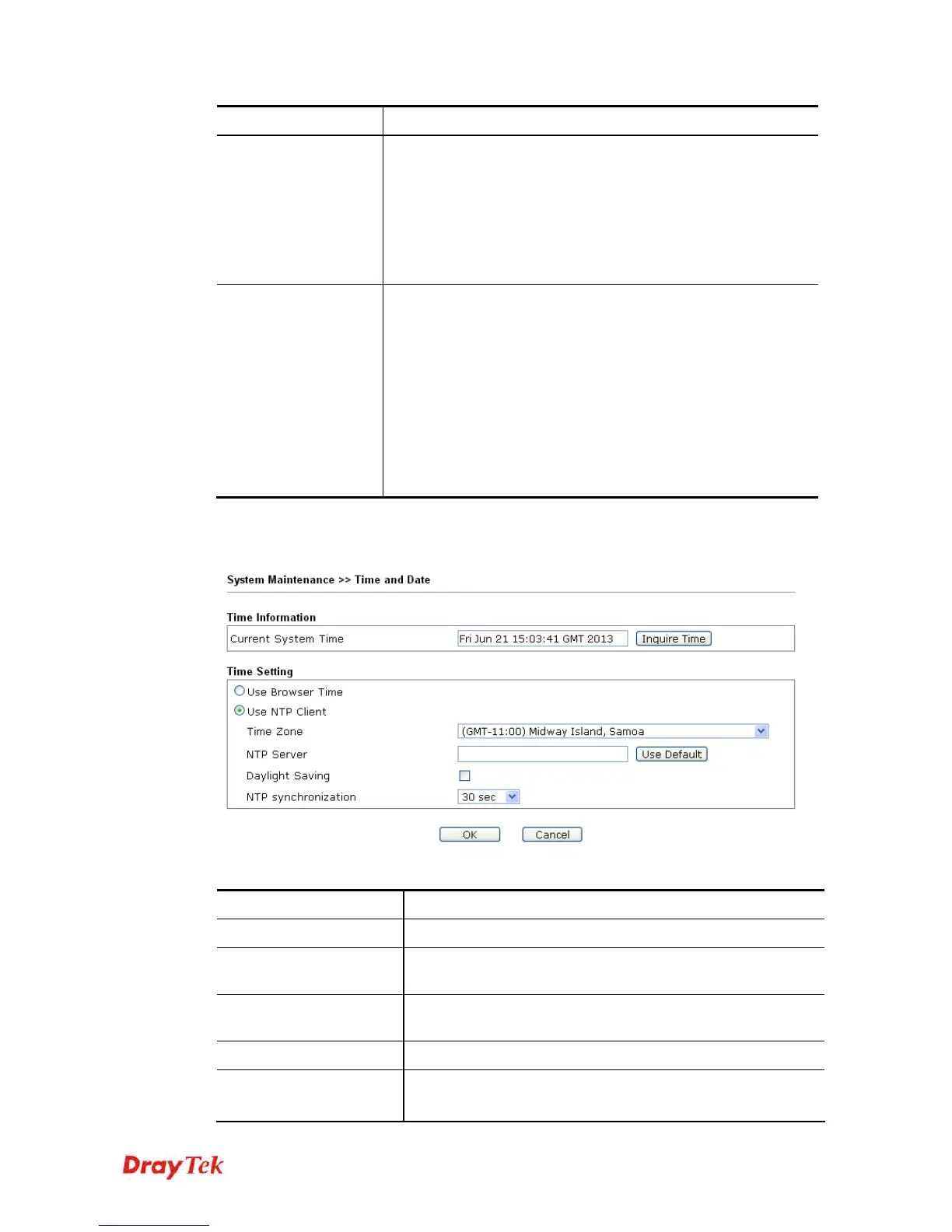
It allows you to specify where the time of VigorAP should be inquired from.
Available parameters are explained as follows:
Item Description
Current System Time
Click Inquire Time to get the current time.
Use Browser Time
Select this option to use the browser time from the remote
administrator PC host as router’s system time.
Use NTP Client
Select to inquire time information from Time Server on the
Internet using assigned protocol.
Time Zone
Select a time protocol.
NTP Server
Type the IP address of the time server.
Use Default – Click it to choose the default NTP server.













 To Next Page