VigorAP 900 User’s Guide
117
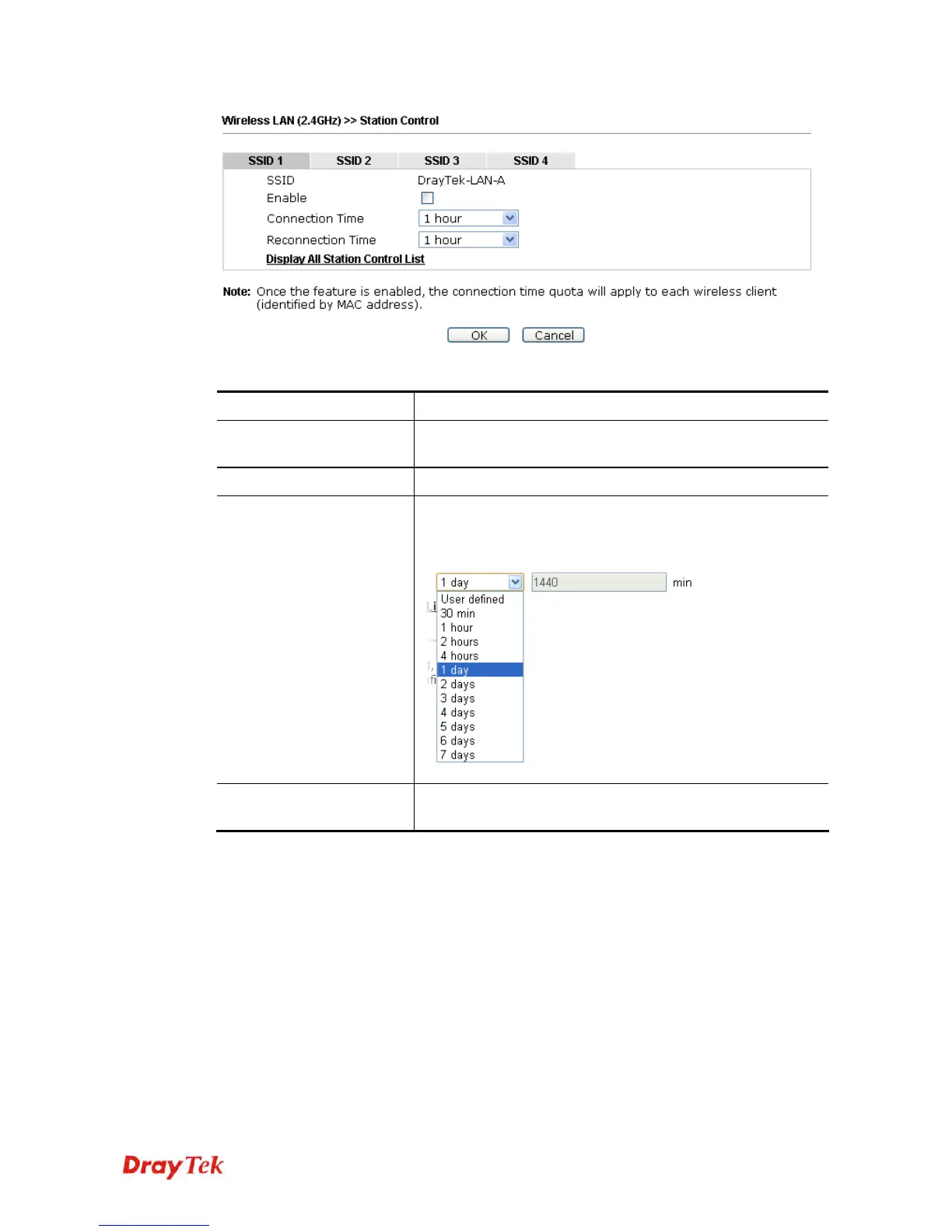
Available settings are explained as follows:
Item Description
SSID
Display the SSID that the wireless station will use it to
connect with Vigor router.
Enable
Check the box to enable the station control function.
Connection Time /
Reconnection Time
Use the drop down list to choose the duration for the wireless
client connecting /reconnecting to Vigor router. Or, type the
duration manually when you choose User defined.
Display All Station
Control List
All the wireless stations connecting to Vigor router by using
such SSID will be listed on Station Control List.
After finishing all the settings here, please click OK to save the configuration.













 To Next Page