VigorAP 900 User’s Guide
125
securer and faster. With the pre-authentication procedure
defined in IEEE 802.11i specification, the
pre-four-way-handshake can reduce handoff delay perceivable
by a mobile node. It makes roaming faster and more secure.
(Only valid in WPA2)
Enable - Enable IEEE 802.1X Pre-Authentication.
Disable - Disable IEEE 802.1X Pre-Authentication.
Key 1 – Key 4
Four keys can be entered here, but only one key can be
selected at a time. The format of WEP Key is restricted to 5
ASCII characters or 10 hexadecimal values in 64-bit
encryption level, or restricted to 13 ASCII characters or 26
hexadecimal values in 128-bit encryption level. The allowed
content is the ASCII characters from 33(!) to 126(~) except '#'
and ','. Such feature is available for WEP mode.
802.1x WEP
Disable - Disable the WEP Encryption. Data sent to the AP
will not be encrypted.
Enable - Enable the WEP Encryption.
Such feature is available for WEP/802.1x mode.
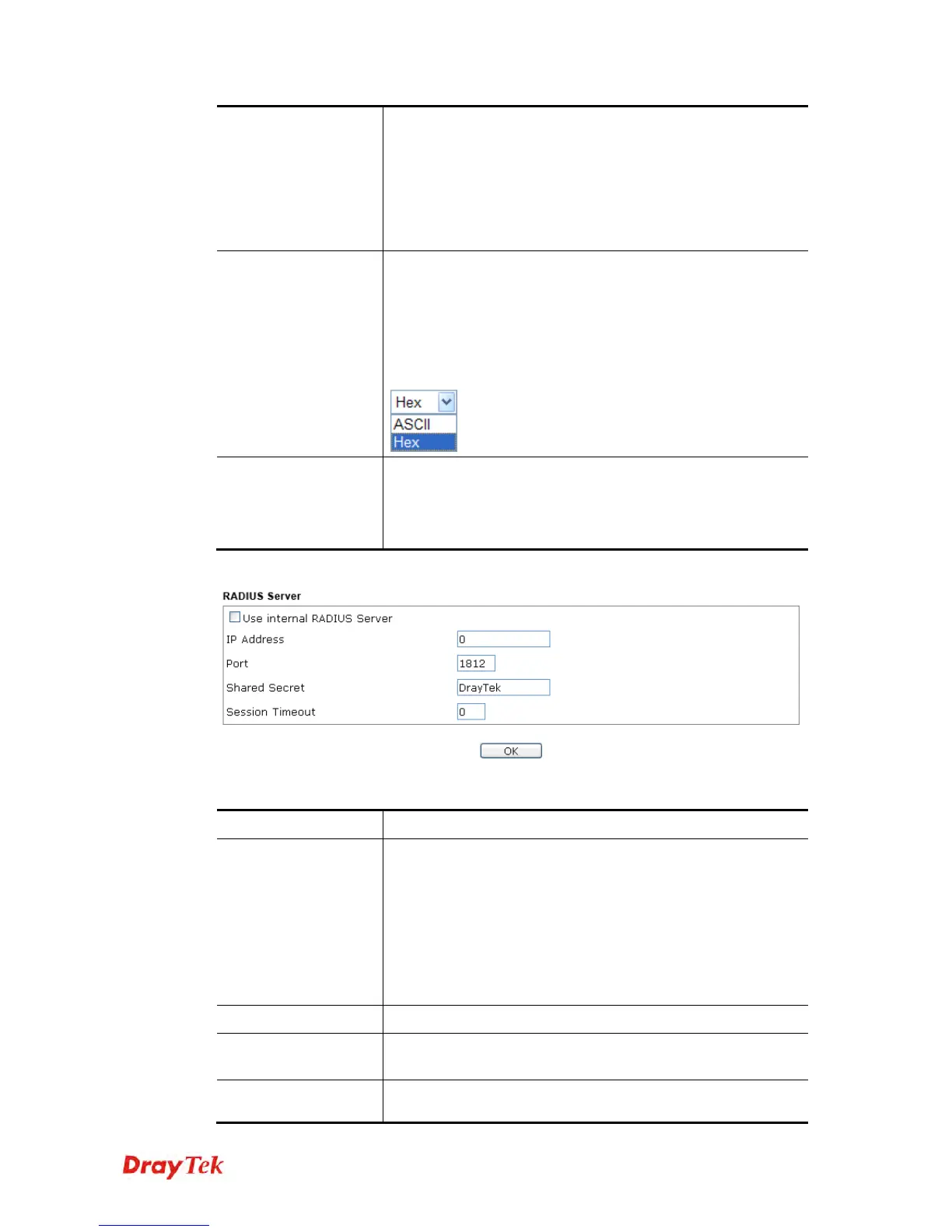
Click the link of RADIUS Server to access into the following page for more settings.
Available settings are explained as follows:
Item Description
Use internal RADIUS
Server
There is a RADIUS server built in VigorAP 900 which is used
to authenticate the wireless client connecting to the access
point. Check this box to use the internal RADIUS server for
wireless security.
Besides, if you want to use the external RADIUS server for
authentication, do not check this box.
Please refer to the section, 3.11 RADIUS Server to configure
settings for internal server of VigorAP 900.
IP Address
Enter the IP address of external RADIUS server.
Port
The UDP port number that the external RADIUS server is
using. The default value is 1812, based on RFC 2138.
Shared Secret
The external RADIUS server and client share a secret that is
used to authenticate the messages sent between them. Both













 To Next Page