VigorAP 900 User’s Guide
139
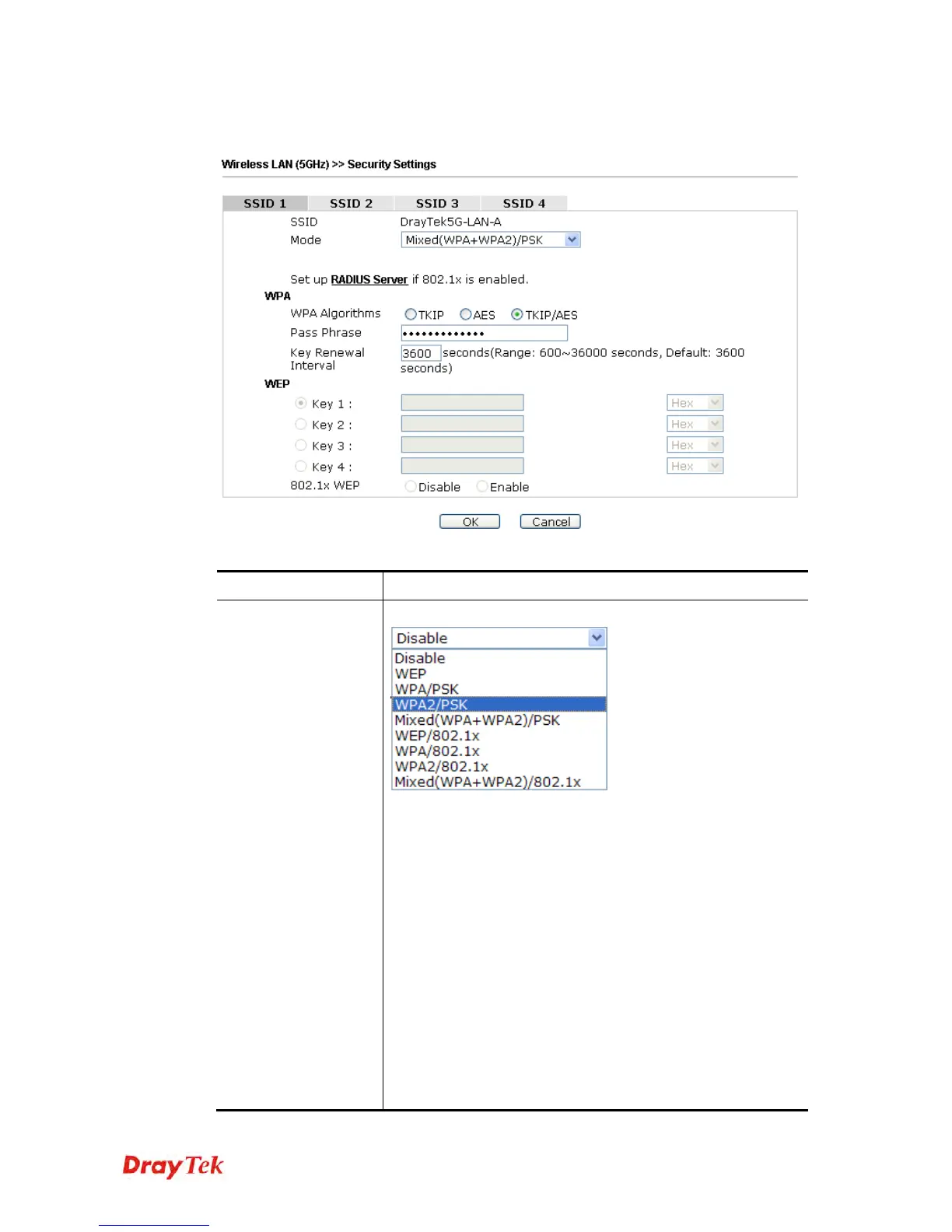
By clicking the Security Settings, a new web page will appear so that you could configure
the settings.
Available settings are explained as follows:
Item Description
Mode
There are several modes provided for you to choose.
Disable - The encryption mechanism is turned off.
WEP - Accepts only WEP clients and the encryption key
should be entered in WEP Key.
WPA/PSK or WPA2/PSK or Mixed (WPA+WPA2)/PSK -
Accepts only WPA clients and the encryption key should be
entered in PSK. The WPA encrypts each frame transmitted
from the radio using the key, which either PSK (Pre-Shared
Key) entered manually in this field below or automatically
negotiated via 802.1x authentication.
WEP/802.1x - The built-in RADIUS client feature enables
VigorAP 900 to assist the remote dial-in user or a wireless
station and the RADIUS server in performing mutual
authentication. It enables centralized remote access
authentication for network management.
The WPA encrypts each frame transmitted from the radio













 To Next Page