VigorAP 900 User’s Guide
180
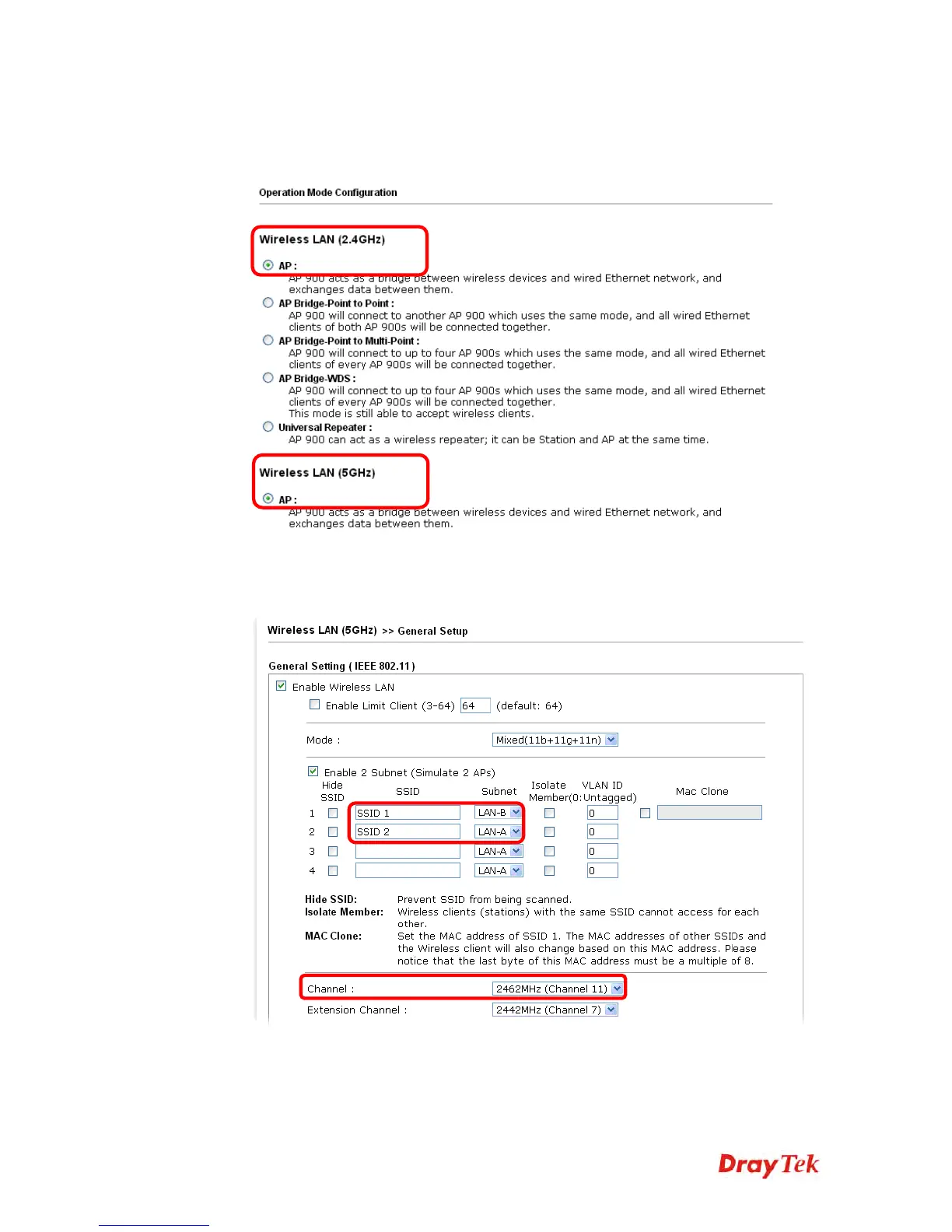
Below shows you how to configure the web page for VigorAP 900:
1. In the page of Operation Mode, click AP mode for 2.4GHz Wireless and 5GHz
Wireless.
2. Open Wireless LAN(2.4GHz) >> General Setup and then Wireless LAN(5GHz) >>
General Setup. Choose the subnet LAN-B for SSID 1 and choose LAN-A for SSID 2.
Specify the wireless channel. Then, click OK to save the configuration.













 To Next Page