VigorAP 900 User’s Guide
41
It is the simplest way to build connection between wireless network clients and VigorAP 900.
Users do not need to select any encryption mode and type any long encryption passphrase to
setup a wireless client every time. He/she only needs to press a button on wireless client, and
WPS will connect for client and VigorAP 900 automatically.
Note: Such function is available for the wireless station with WPS supported.
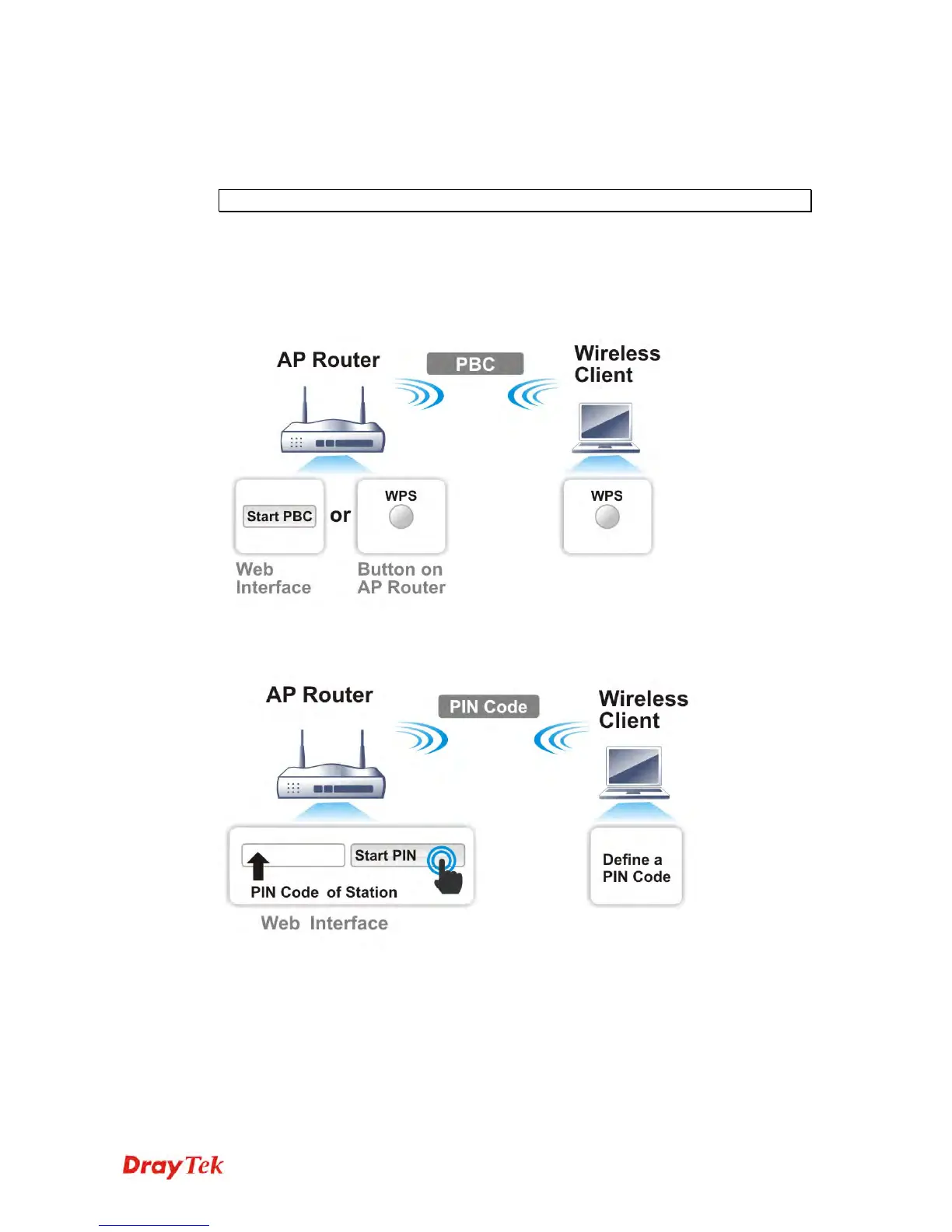
There are two methods to do network connection through WPS between AP and Stations:
pressing the Start PBC button or using PIN Code.
On the side of VigorAP 900 series which served as an AP, press WPS button once on the
front panel of VigorAP 900 or click Start PBC on web configuration interface. On the side
of a station with network card installed, press Start PBC button of network card.
If you want to use PIN code, you have to know the PIN code specified in wireless client.
Then provide the PIN code of the wireless client you wish to connect to the VigorAP 900.













 To Next Page