DRC 242-A 2007-08-03 Page 3 DC3 with SEM Installation Instructions
3. Carefully select the mounting location
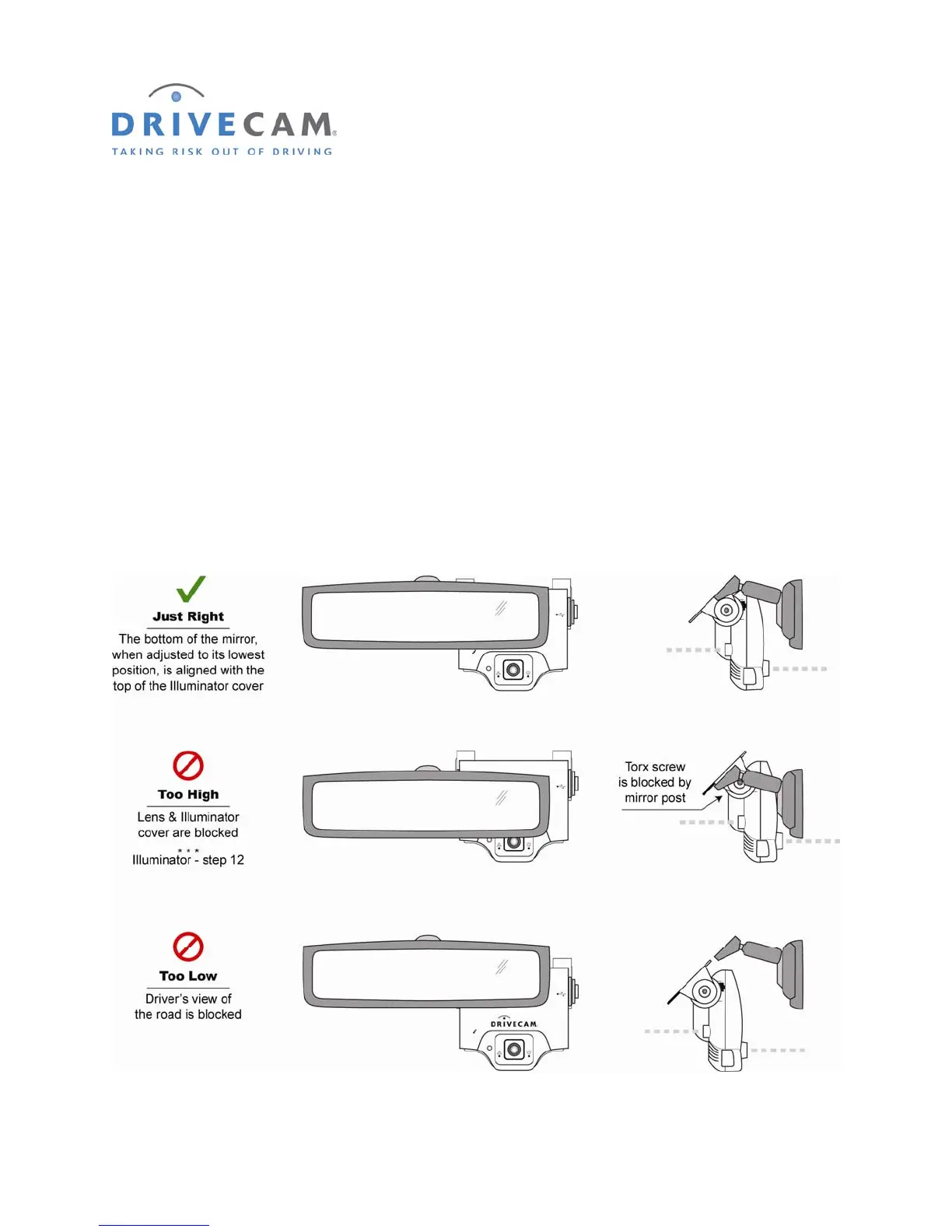
The event recorder needs to be mounted in a location that provides an unobstructed view of the interior
and exterior (front) of the vehicle.
CAUTION: Do not peel the backing from the adhesive strip until instructed to do so.
Step 1 Loosen the Torx screws so the event recorder can rotate in the bracket.
Step 2 Pull the mirror down to its lowest position.
Most rear view mirrors can be adjusted up or down. Before selecting the mounting location,
adjust the mirror all the way down so that it can never cover the lens after mounting.
Step 3 Position the assembly behind the mirror, about one inch to the right of the post to allow
easy access to the Torx screw and power connection.



 To Next Page