Tamarisk
®
Camera Control Software User Guide
5.7.5 Lens Calibration - Selecting a Table to Store your Data
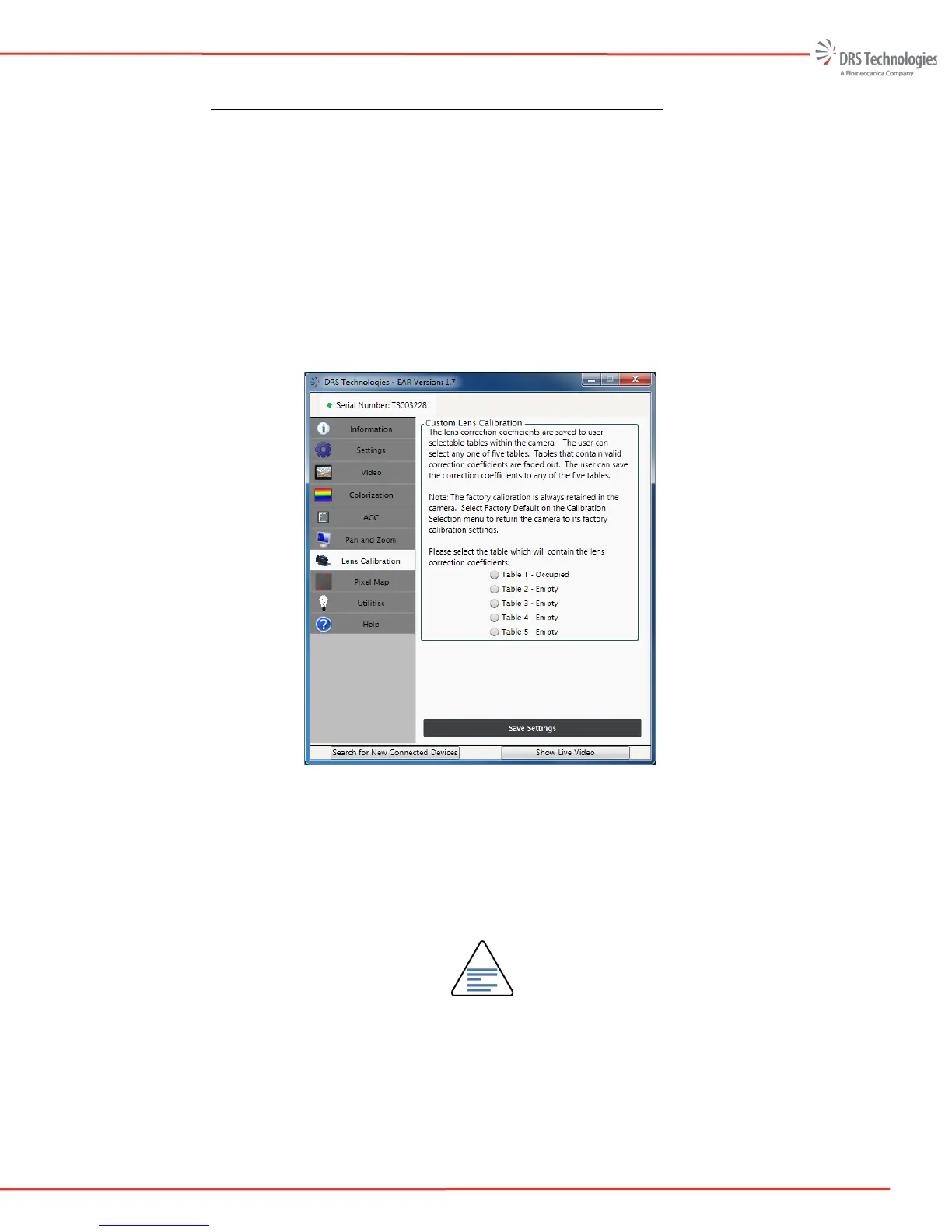
7. Next, select the location to store your calibration. During the calibration process, lens
“correction coefficients” are calculated and saved to the camera, via one of the 5 tables.
Tables that have been previously populated are labeled “Occupied;” tables that have not
been used are labeled “Empty.” The user can save the correction coefficients to any of the
five tables. Selecting an occupied table will overwrite the table with new correction
coefficients.
Factory calibration coefficients are permanently stored in the camera. To restore factory
default settings go to the Calibration Selection task pane found on the Lens Calibration
tab, see Figure 39, and select Return to Factory Calibration Settings found in the
Calibration Selection pull-down menu.
Figure 39: Table Selection
8. Once the table is selected, the first step in the 2-point lens characterization is to capture the
uniform cold target data. The recommended temperature of the cold target is approximately
10C below the ambient temperature (or 12C if the ambient temperature is 22C). The exact
temperature is not critical; the temperature delta between the cold and hot target should be
approximately 20C. Click Cold Target Ready button, as shown in Figure 40.
NOTE
Once the cold target data is captured, the user has 180 seconds to begin
capturing the hot target data. If the 180 second timer expires the lens calibration
process must be started over again.



 To Next Page