Tamarisk
®
Camera Control Software User Guide
Verify that the yellow exclamation mark belongs to the camera and not some other device.
While looking at the Windows Device Manager, unplug the camera’s USB cable. If (after
the screen updates) the yellow exclamation mark disappears from the list, the camera
hardware is not detected or installed properly. Confirm hardware configuration, refer to
Table 1. Hardware Configuration Set-up Overview.
• Symptom: Windows Device Manager shows the camera is not detected or installed properly.
Check the following:
Verify/update installed drivers. From the Windows Device Manager, Right-click the
device with the yellow exclamation mark. In the popup menu select Update Driver
Software. Then follow the instructions on screen. If you know where the drivers are
located you may select the “Browse my computer for driver software” option. The other
option is allow Windows to search the web for updated drivers. If allowing Windows to
search make sure the PC is connected to the web.
If you are using a USB-to-serial port adapter, follow the manufactures procedure to verify
the serial port is properly configured.
• Symptom: After the Windows Device Manager searches for drivers, the drivers cannot be found
or would not install properly. Check the following:
Sometimes a conflict will occur during the installation process and the drivers will not
load properly. Run the Camera Control Software installer again, the software will
automatically attempt to install/re-install the drivers.
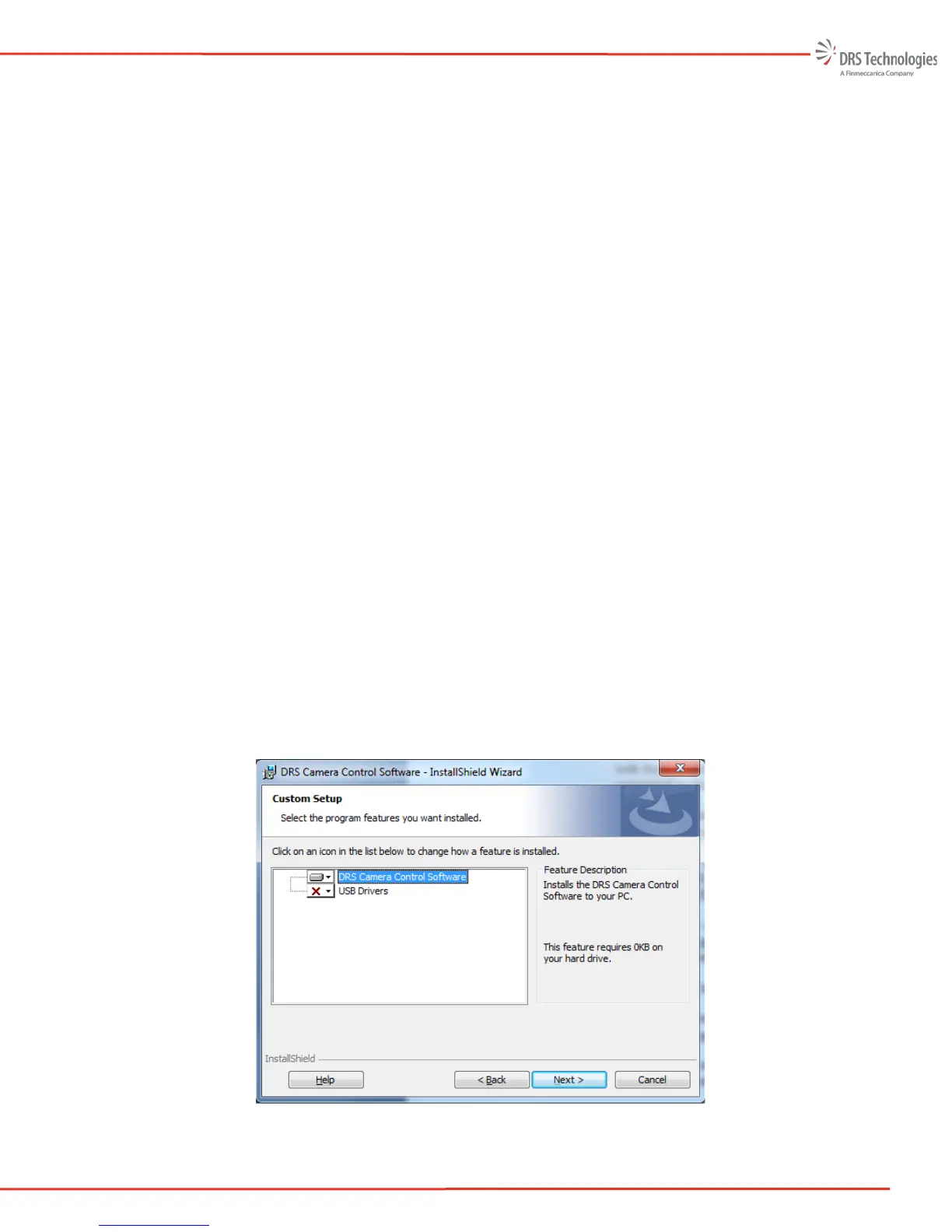
Follow the on screen menu. When the InstallShield Wizard displays the “Modify, repair,
or remove the program” menu, select Modify. The Custom Setup screen in Figure 59 will
appear. It indicates the USB drivers were not installed during the initial installation
process. Select the USB Drivers pull down and ensure this feature will be installed to the
local hard drive option is selected. Select Next to continue the installation
Figure 59 InstallShield’s Custom Setup



 To Next Page