06
142
Driving
Activation
Activation is automatic on engaging reverse
gear at a
speed lower than 6 mph (10 km/h).
The function will be deactivated:
- If a trailer is attached or a bicycle
carrier is fitted on a
towing device
(vehicle fitted with a
towing device
installed in line with the manufacturer's
recommendations).
-
Above about 12 mph (20 km/h).
-
On opening the tailgate.
-
When shifting out of reverse gear.
-
By pressing the white arrow in the
upper-left corner of the touch screen.
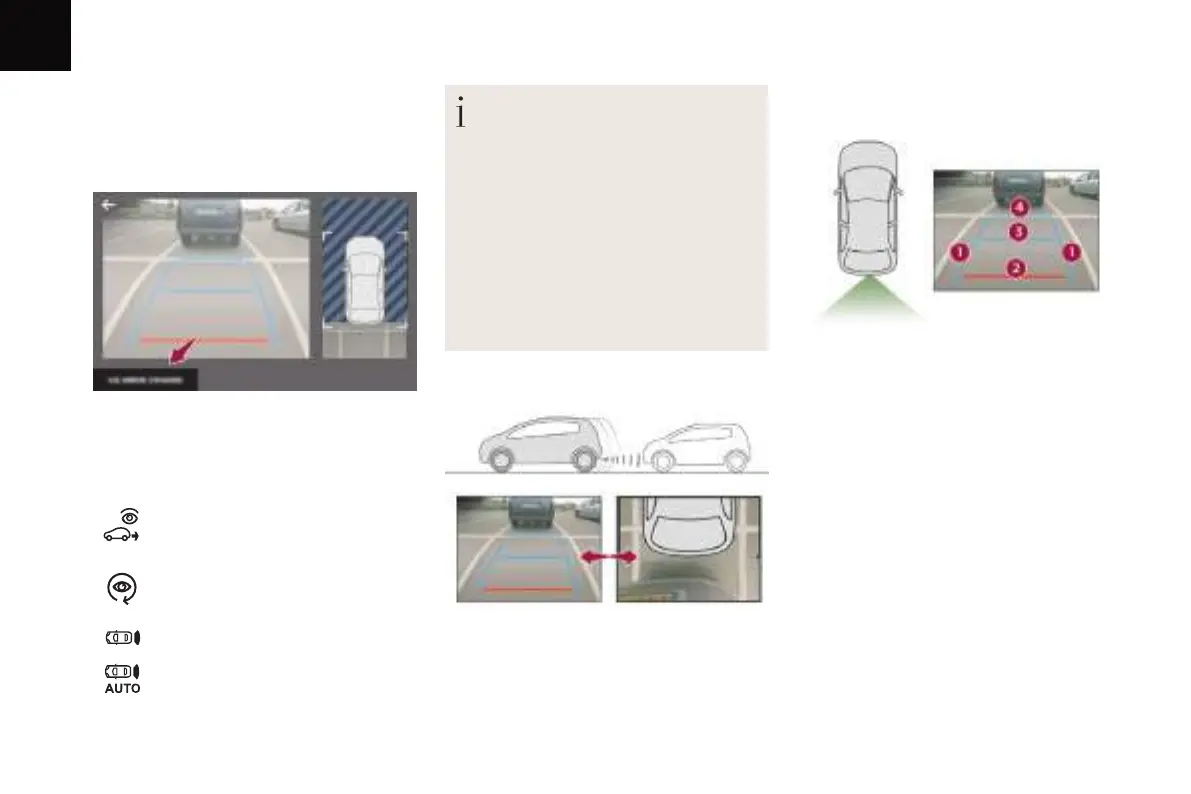
AUTO mode
Standard view
You can choose the display mode at any time
by pressing on this area.
When the sub-menu is displayed, select one of
the four views:
"Standard view".
"180° view".
"Zoom view".
"AUTO mode".
This mode is activated by default.
Using sensors in the rear bumper, the
automatic view changes from a
rear view
(standard) to a view from above (zoom), as an
obstacle is approached at the level of the red
line (less than 30 cm) during a manoeuvre.
The area behind the vehicle is displayed on the
screen.
The blue lines 1
represent the width of your
vehicle, with the mirrors unfolded; their
direction changes depending on the position of
the steering wheel.
The red line 2 represents a distance of 30 cm
from the bumper; the two blue lines 3
and
4
represent 1 m and 2 m, respectively.
This view is available with AUTO mode or in the
view selection menu.


 To Next Page
 Loading...