Page 38
Pulmonary Function Test • Publication 014181-001 Rev 02 • www.datasci.com ©2023 Data Sciences International
The Login Name and Password must be an administrator of this computer (not necessarily the user who logged in
at the start of this Windows session). If you are on a network, you may have to explicitly specify the network
domain where the Login Name can be found. It can be specified using one of the following formats:
Where the username is “Joe”. The network domain is decided by
the system.
→ Buxco\Joe
Where the network domain is “Buxco”, and the username is “Joe”.
A network domain can also be the local computer name. If you
specify the local computer name, it will look for a local administrator
→ Joe@Buxco.com
Where the network domain is “Buxco.com”, and the username is “Joe”.
A network domain can also be the local computer name. If you specify
the local computer name, it will look for a local administrator account
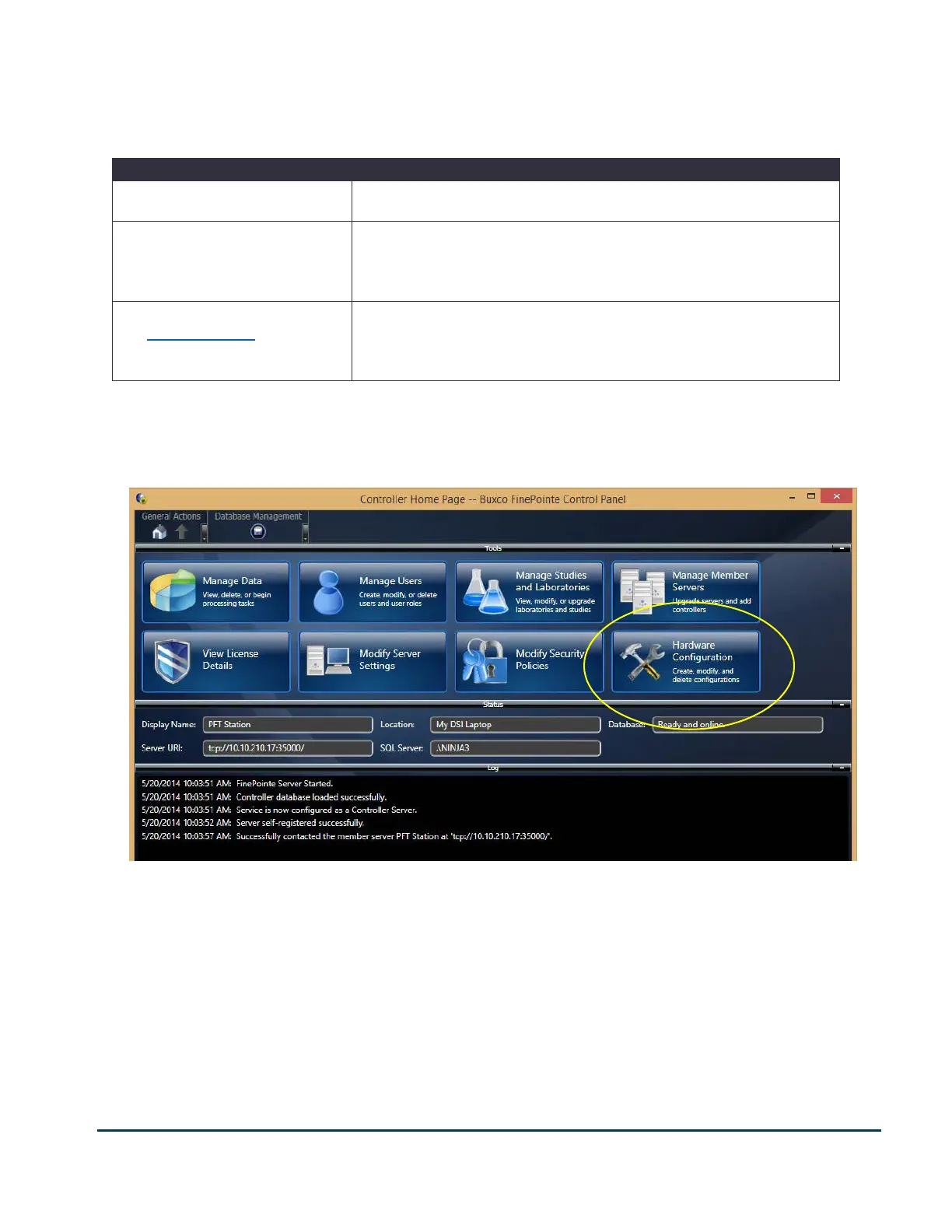
Once you login successfully, you are presented with the main summary page of the server. This page may differ
depending on the type of server it was configured as: Controller Server or Member Server. The most common is
the Controller Server. In this case the following shows what you can expect to see.
This picture shows FinePointe Control Panel Home Page for a Controller Server. A member server Home Page is similar but only has
Data Upload, Modify Server Settings, and Hardware Configuration Buttons.


 To Next Page