13
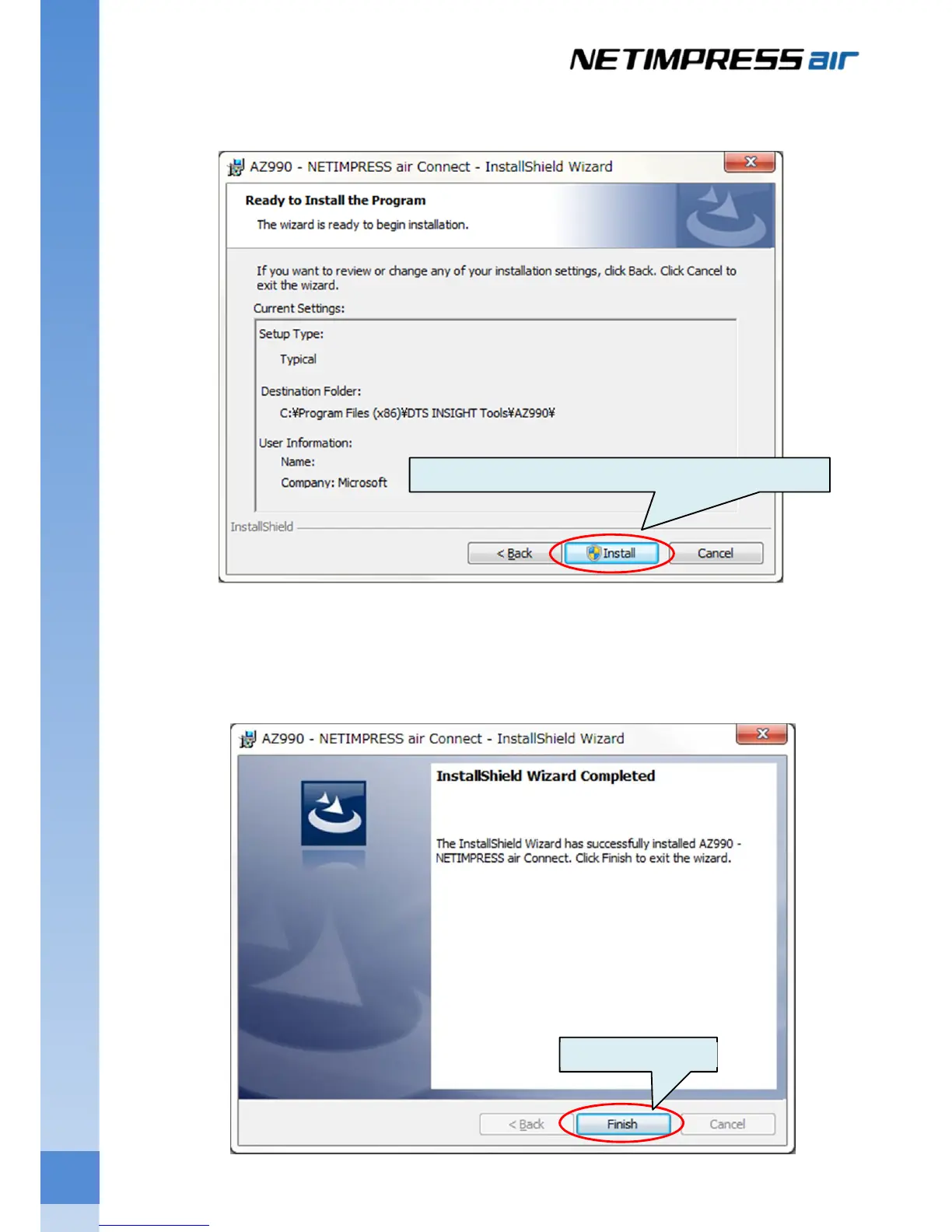
(3) Check the installation settings, and then click the Install button.
If a User Account Control window opens, click Yes to continue the installation.
(4) Installation of AZ990 (air Connect) is completed when the following window is displayed.
Following this, installation of USB driver is started when you click Finish button.
If a User Account Control window opens, click Yes to continue the installation.
Click Install after you have check the installation destination.
Click Finish button.



 To Next Page