44
4.5. Connecting with Target System
This chapter explains the typical connection example of the target system and main unit.
Connection may vary depending on your programming environment.
Check the manual of the definition program and Micom-pack for details.
Manuals of definition file and Micom-pack can be downloaded from our website.
https://www.dts-insight.co.jp/en/support/support_netimpress_air_list/top/index.php?m=Search
For details of specification of each target probe, see Chapter 5 of NETIMPRESS air Hardware Manual.
Manuals are available from our website.
https://www.dts-insight.co.jp/en/support/support_netimpress_air/?m=Document&item=1
4.5.1 Connecting by using the target probe
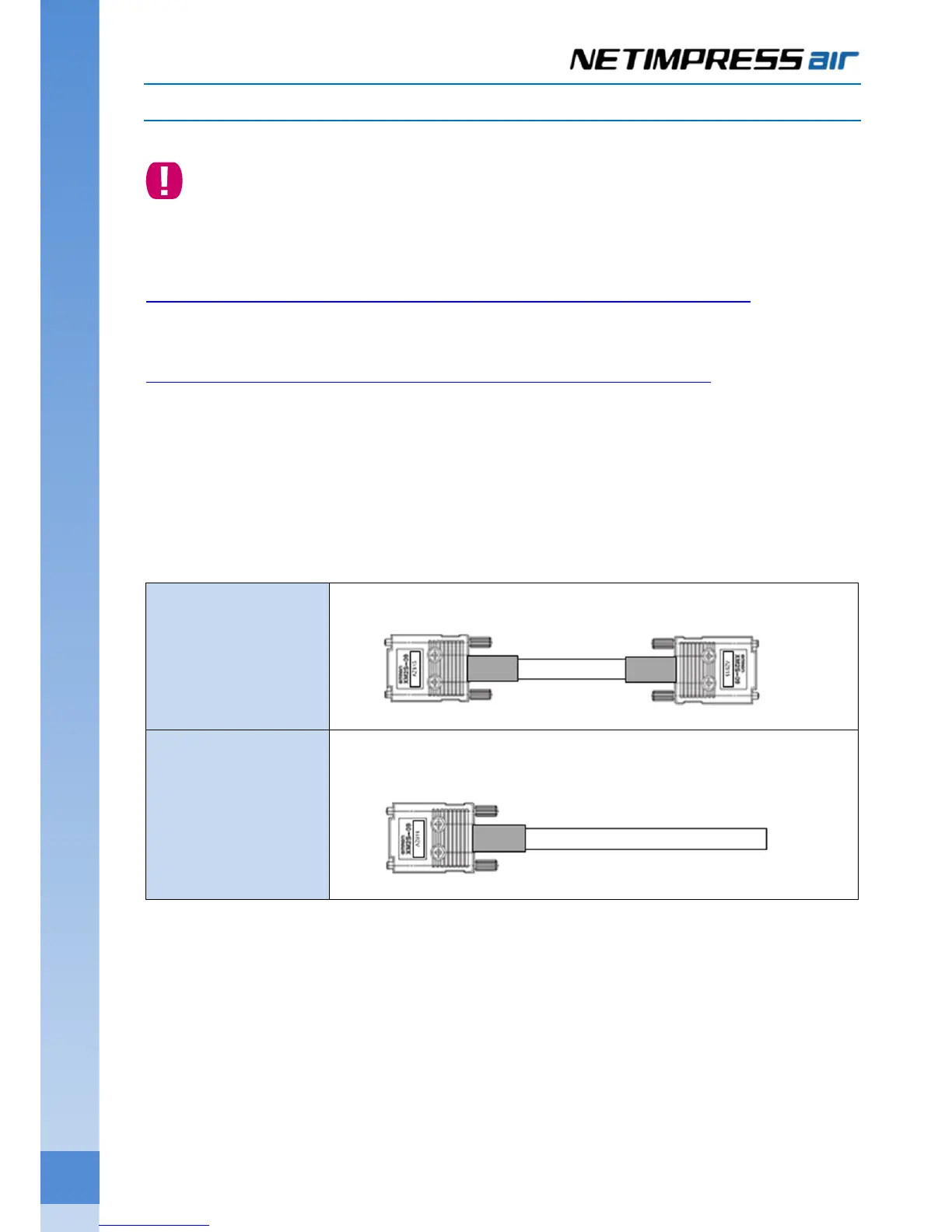
(1) Types of probe
Connect the main unit by using a target probe suitable for your target board.
(2) Wire connection
See “Connecting with a target system, and details of dedicated connectors” on the manual of Micom-pack to
connect the target probe and target system.
(3) Connecting
Check the type of the target probe and the wire connection, and then connect the main unit and target system.
AZ915
Target side: D-SUB 9pin
AZ916
Target side: Not treated. (No connectors. Process the wire (add a connector) in
accordance with the specification on the target side.)



 To Next Page