51
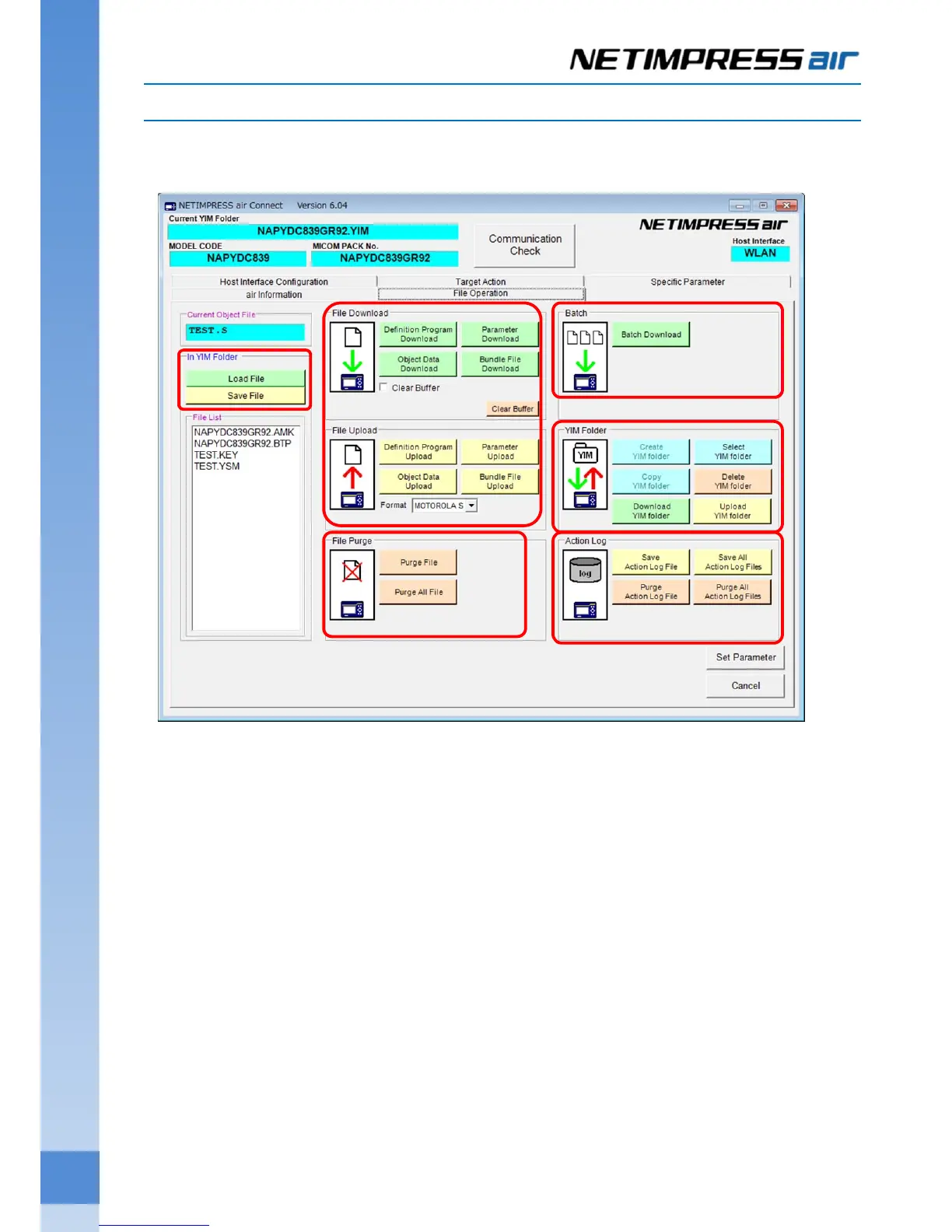
6.2. File Operation (Screen for transferring the file)
File Operation screen is for transferring the file necessary for setting the programming environment, adding the
license, and creating/selecting/copying/deleting the YIM folder.
(7) YIM Folder
This button is used for operating YIM folder and other files selected in Folder/File List Window.
Folder/File List is displayed in new window.
(8) File Download / File Upload
Parameter Table:
This is for transferring the parameter file to the programmer, and saving it in the host PC.
Definition Program:
This is for transferring the definition program to the programmer, and saving it in the host PC.
Object Data:
This is for transferring the programming object to the buffer memory, or saving the data on the buffer
memory into the host PC.
Bundle File:
This is for transferring the bundle file to the programmer, and saving it in the host PC.
(9) In YIM Folder
This is for loading the object file in YIM folder, and saving the contents in the buffer memory.
(7)
(8)
(10)
(11)
(12)
(9)



 To Next Page