36
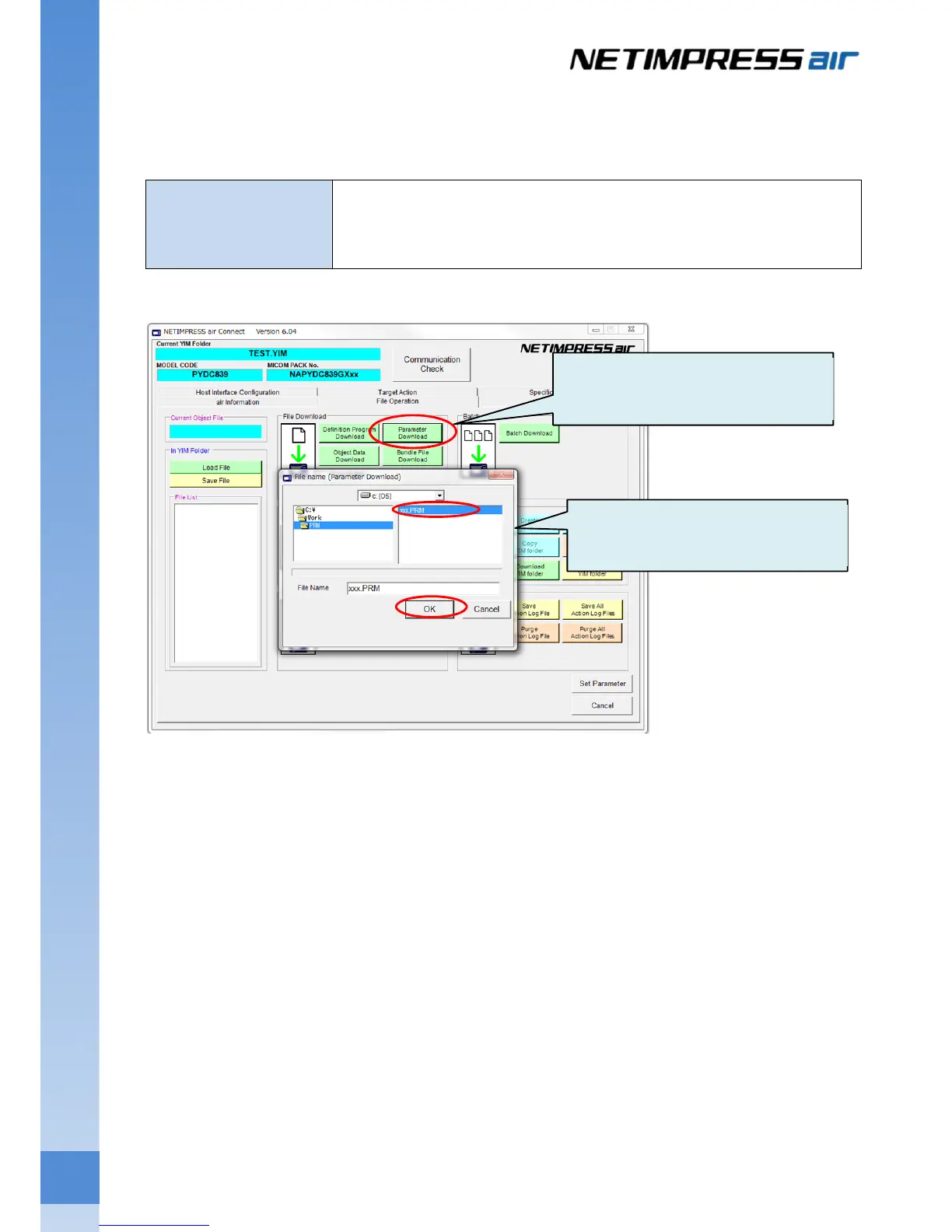
4.3.2 Downloading a parameter file
For downloading the parameter file, click Load Parameter on the “Parameter Table” group on the “File
Transfer” tab.
Parameter file
Extension of the file is .PRM.
This is included in the Micom-pack.
This is a parameter table file with the device information of target system.
(1) Click Parameter Download button.
(2) Select the parameter file and then
click OK button.



 To Next Page