30
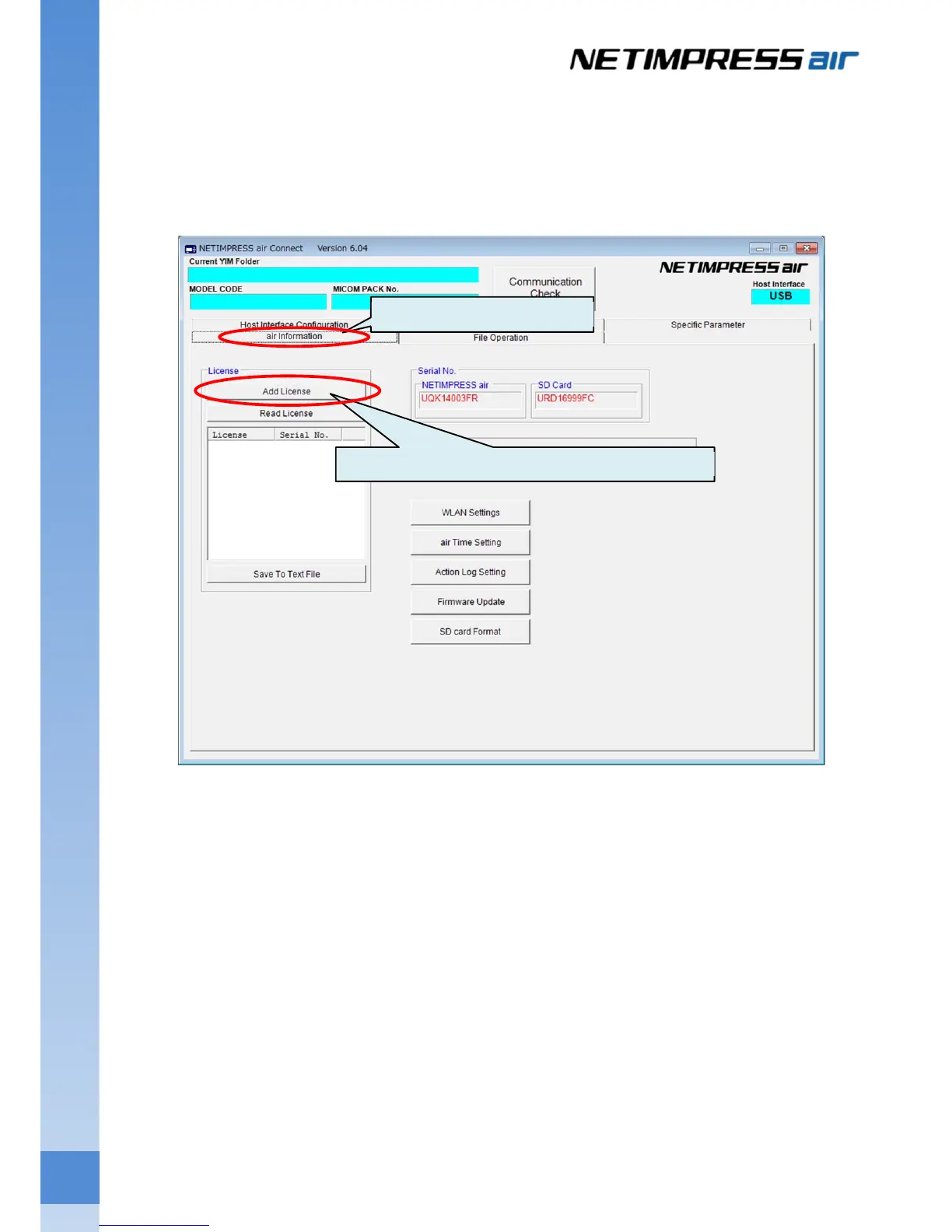
4.1.2 How to add the license into SD card for NETIMPRESS air
(1) Copy and paste the license file (.ALC) into the local folder of host PC.
(2) Start up AZ990 (air Connect) and connect NETIMPRESS air.
(3) Click the air Information tab
Click the Add License button to open a dialog box for selecting a license file.
Click the air Information tab.
Click this button for opening a file selection dialog box.



 To Next Page