37
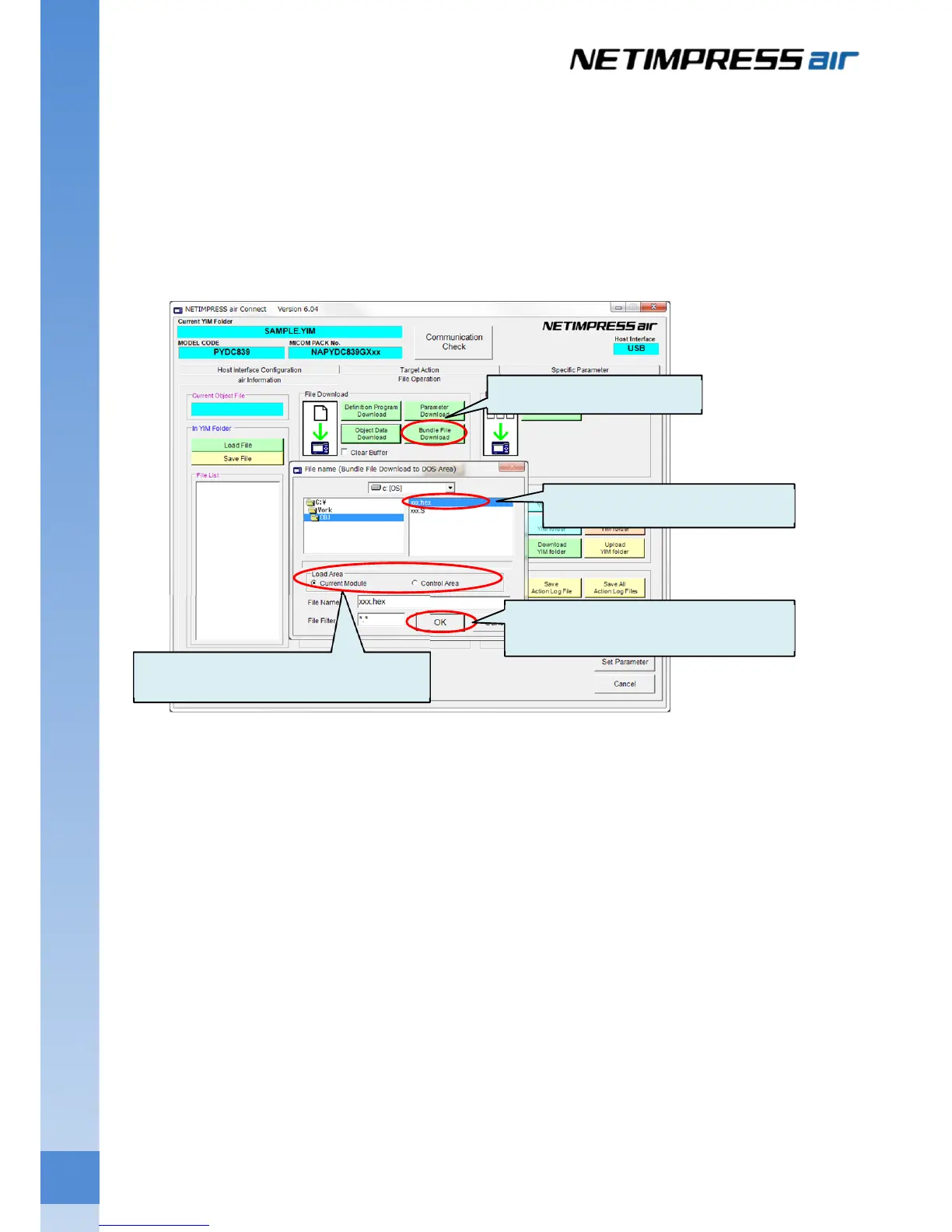
4.3.3 Downloading the Bundle Files
Download the file into the current folder.
Select the current folder on the folder/file list, and then click Bundle File Download button of the File
Download group on the File Operation tab.
File selection window is shown. Select a file you want to download, and then click the OK button. Click the
Cancel button if you want to cancel the downloading of bundle file.
If you select the current module for the load area from the file selection window, the file is downloaded into the
current folder.
(1) Click this button.
(3) Select a file.
(4) Click OK button.
(2) Select the Current Module for Load



 To Next Page