40
4.3.5 Downloading the object file
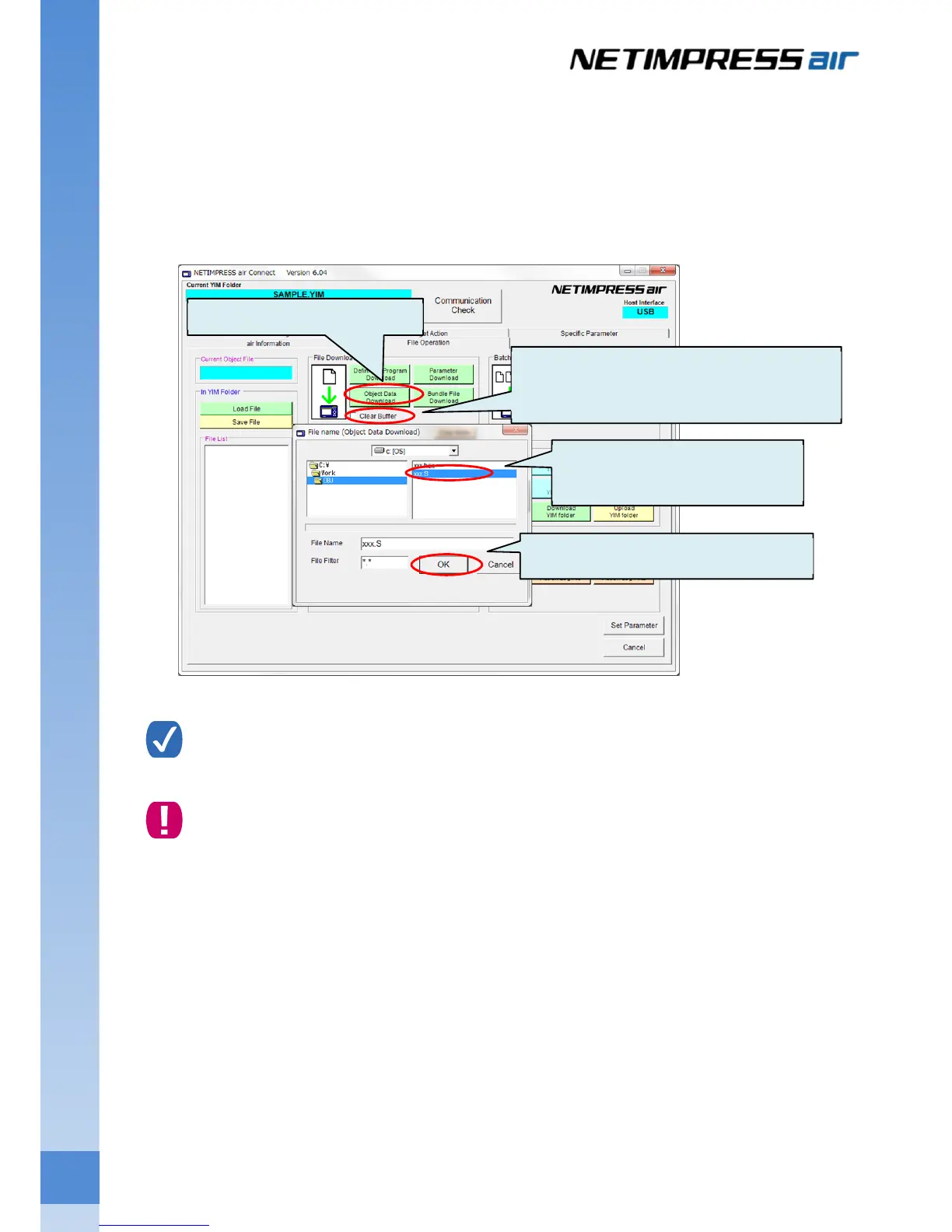
Download the object file (Programming file) into the buffer memory of the current folder.
Select the current folder on the folder/file list, and then click File Download button of the File Download group
on the File Operation tab.
Object file selection window is shown. Select an object file you want to download, and then click the OK button.
Click the Cancel button if you want to cancel the downloading of object file.
If you select the “Clear Buffer” which you can find in the File Download group on the File
Operation tab, it automatically clears the buffer memory when downloading the object file.
If you do not clear the buffer before downloading the object file, data loaded previously may remain
in the buffer memory. This may cause the programming of wrong data.
Setting of the programming environment is completed now.
(1) Click this button.
(2) Select an object file.
(3) Click OK button.
If you want to automatically clear the buffer
memory when downloading the object file,
select this check box.



 To Next Page