47
5.2. Programming (Stand-alone operation)
(1) Connect the main unit and target system.
Make sure that it is connected correctly, and turn on the power of target system. (The power of main unit is
supplied from a battery of target system (VBAT) normally.)
(2) Select the folder
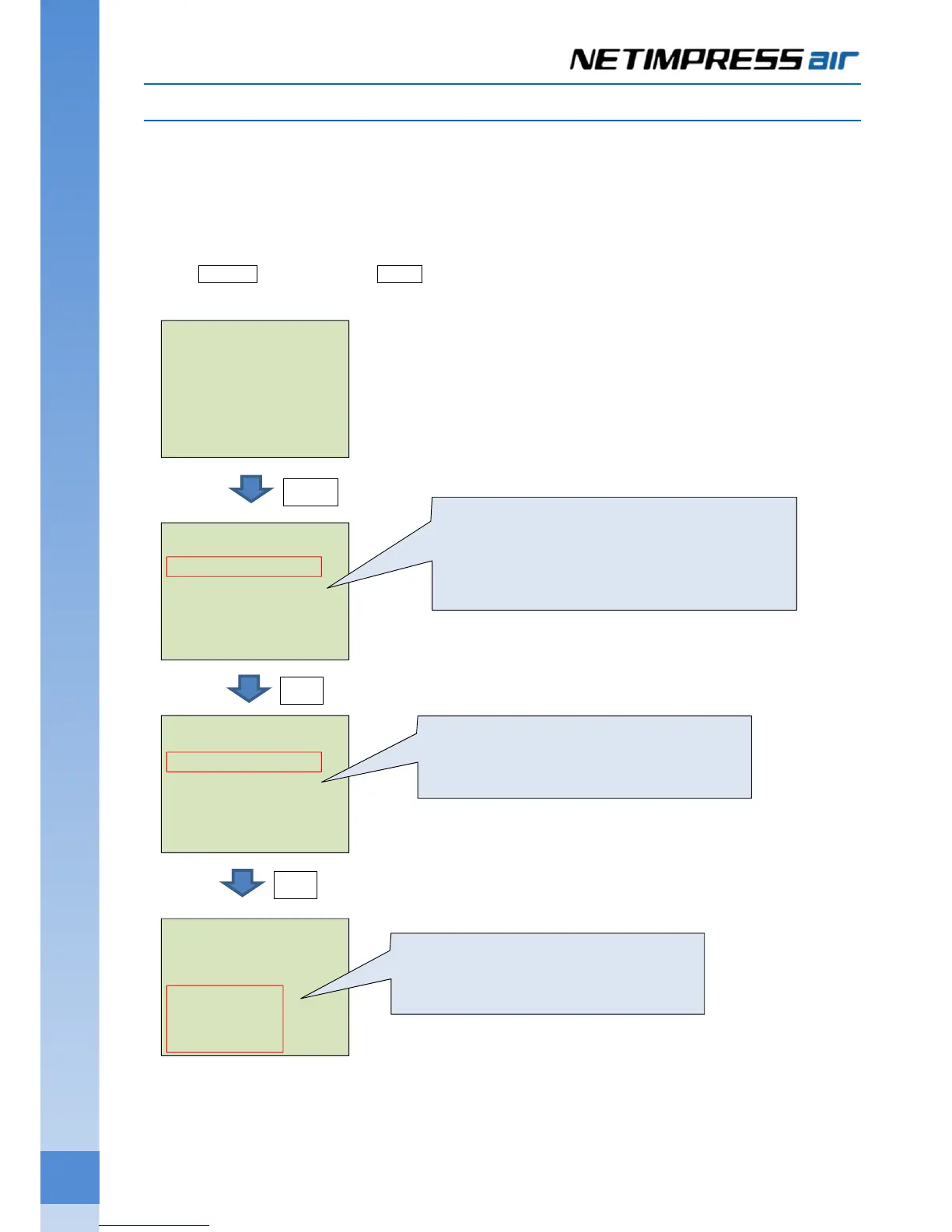
Press MENU button, and then SET button. “SELECT YIM FOLDER” command is shown.
YIM folder is selected if you press [SET] button.
USB T-
---------------------
YIM:NAPYDC839GR92.YIM
T-ACT:COPY
SET:Exec ▼▲Select
IP:192.168. 0. 1
MENU:FOLDER
---------------------
>SELECT YIM FOLDER
DELETE YIM FOLDER
COPY YIM FOLDER
INFORMATION YIM
PROTECT YIM FOLDER
SELECT YIM FOLDER
---------------------
NAPYDC839GR92.YIM
QUIT:Return SET:Exec
▼▲:Select
SELECT YIM FOLDER
---------------------
NAPYDC839GR92.YIM
Execute ?
QUIT:Return
SET:Exec
MENU
Switch the menu page by pressing ◀ / ▶ button.
Select a command to execute by pressing ▲ / ▼
(cursor).
Execute the command selected by pressing [SET].
SET
Select the YIM folder by pressing ▲ / ▼,
and then press [SET] for setting it.
SET
Confirmation message is shown.
Press [SET] to execute it.



 To Next Page