31
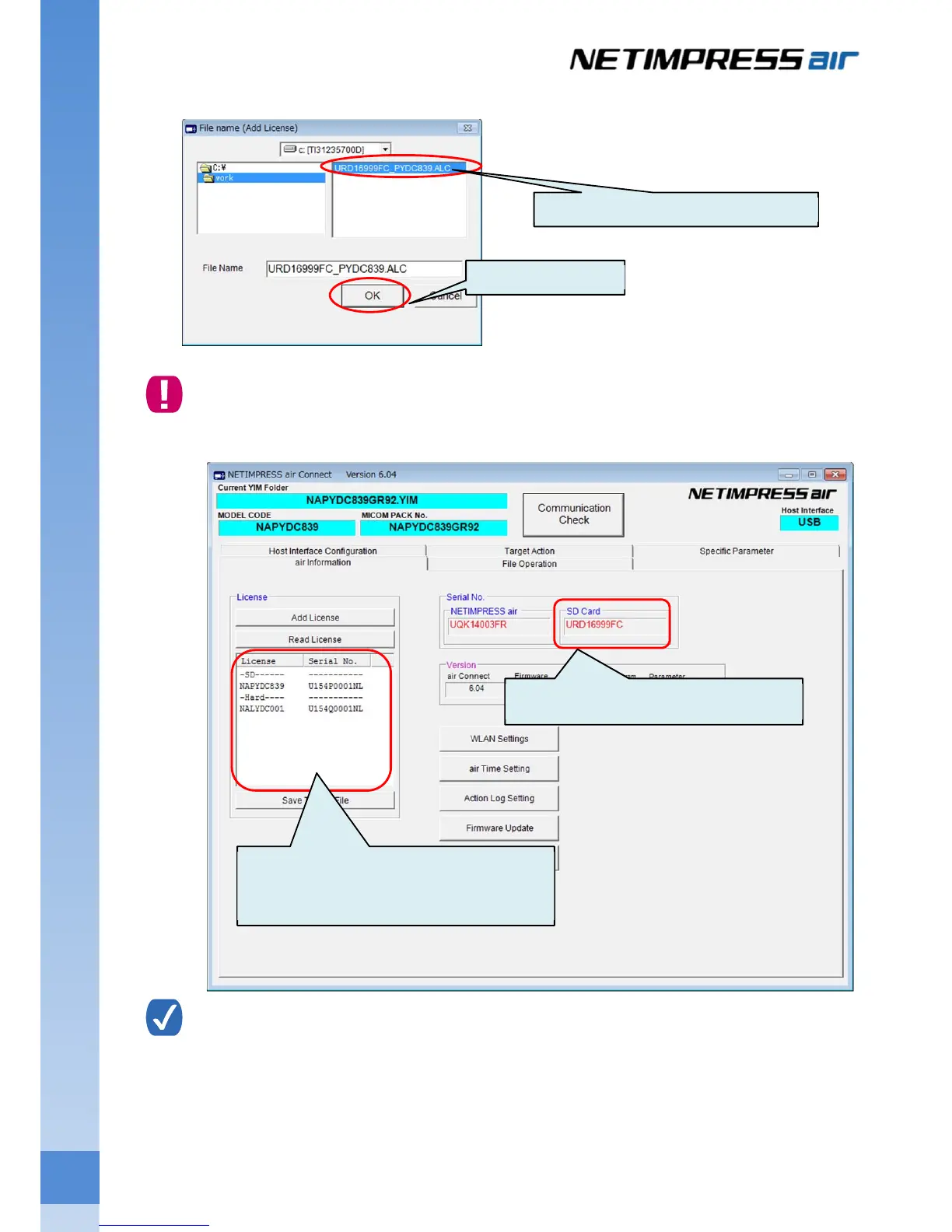
Select the license file prepared in (1) above, and then click the OK button. The license is registered.
License file is fixed to the serial number of SD card for NETIMPRESS air.
If the serial number of license file and the serial number of SD card are not matched, the license cannot
be added.
For stand-alone operation, you can check the license information and serial number of SD card b
following steps below.
View License: MENU:LICENSE “READ LICENCE”
View the serial number of the SD card: MENU:VER/SERIAL “READ SERIAL NUMBER”
Select the license file (xxxx.ALC).
Click the OK button.
Serial number of SD card is shown here.
The licenses installed in the SD card can be
check by clicking the Read License button.



 To Next Page