19
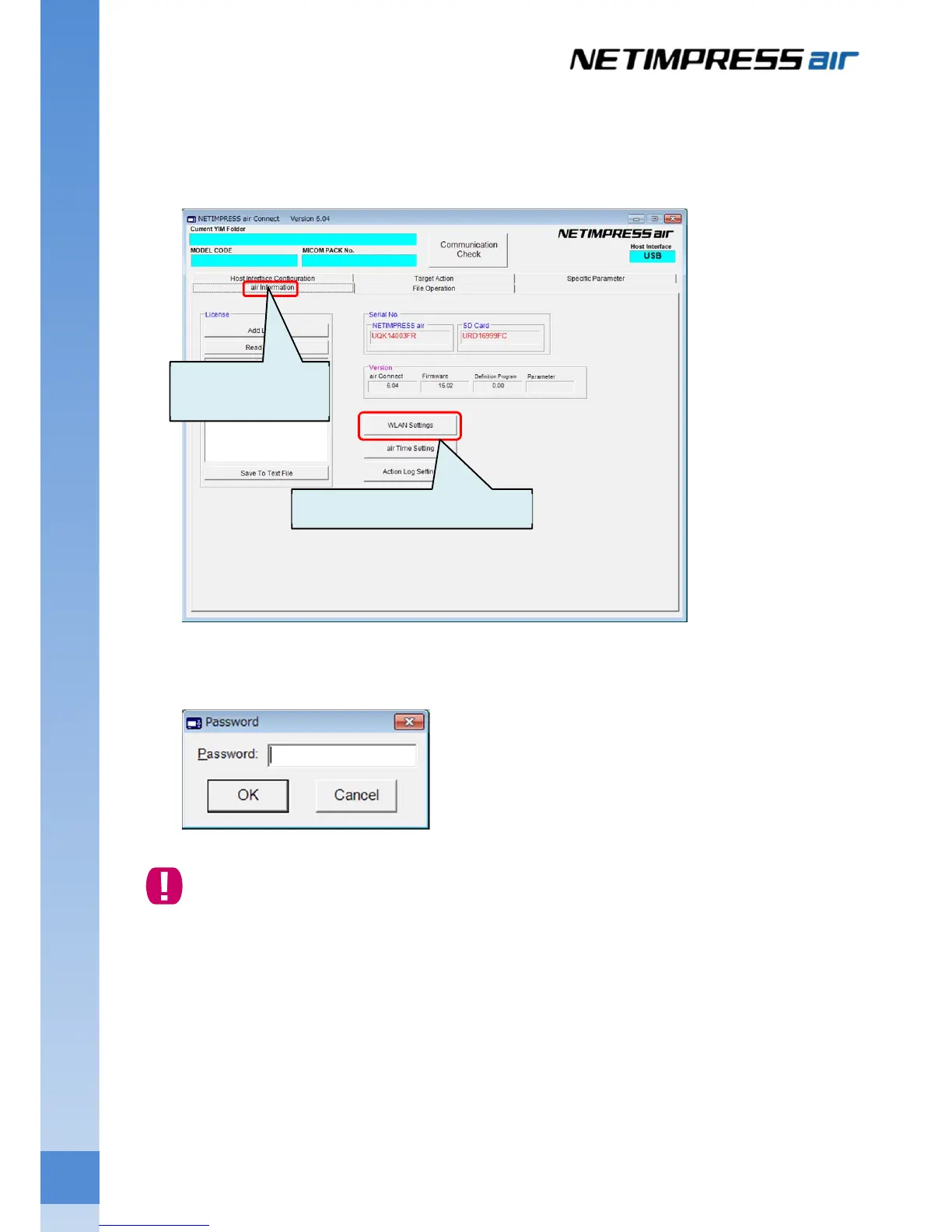
(3) Open the setting window of the wireless LAN.
Click the air information button to switch the display, and then click WLAN Settings button.
The following window is displayed. Enter the password and then click the OK button.
The default password is AF200. Password can be changed by clicking
Change Password
button on
the WLAN Setting window.
Switch the display by
clicking this button.
Click WLAN Settings button.



 To Next Page