24
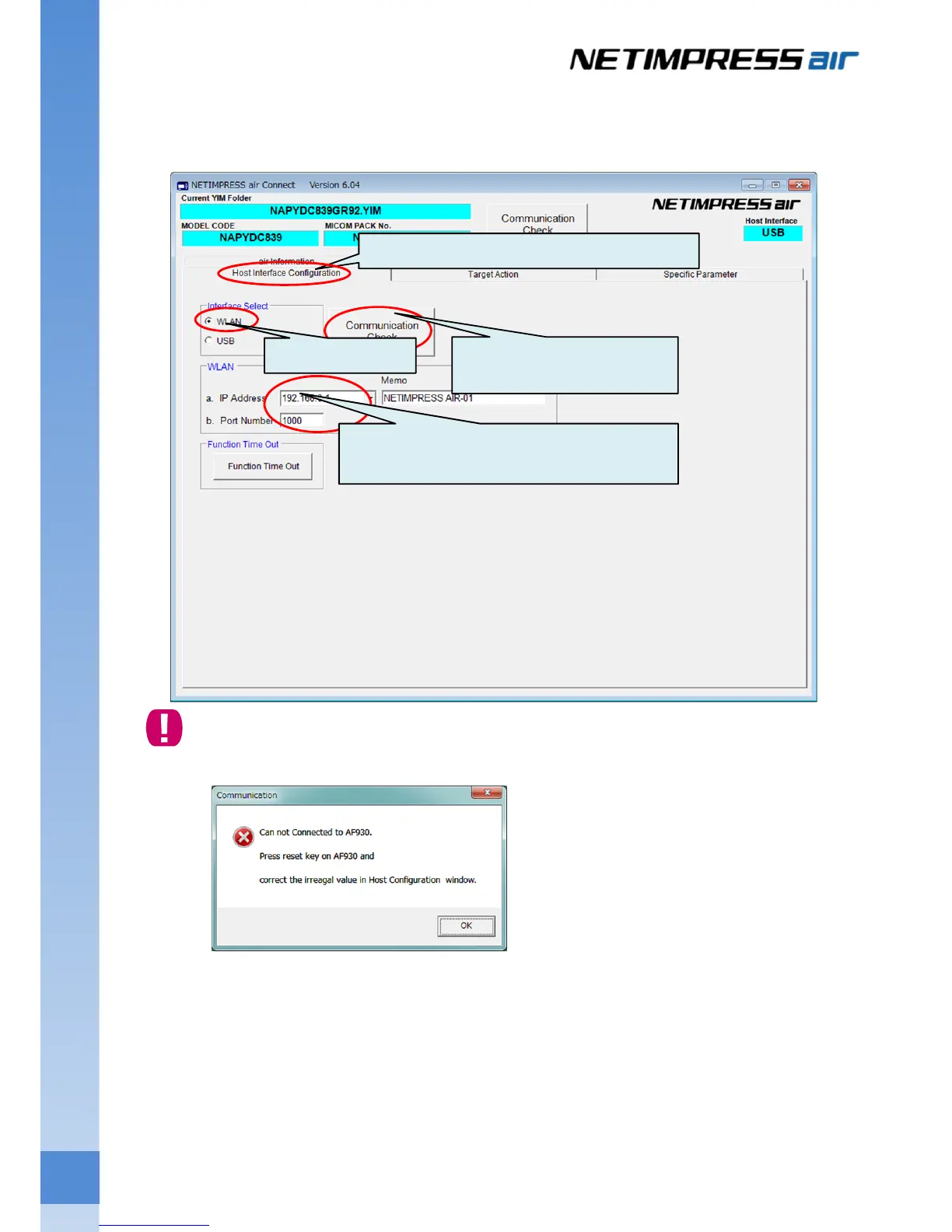
(3) From the Host Interface Configuration tab, select WLAN, and then enter the IP address and Port Number of
NETIMPRESS air.
Click Communication Check button.
If the following dialog window is shown because of the communication error, connection of host PC
and NETIMPRESS air has not completed. Please check the connection settings again.
1. Click the Host Interface Configuration tab.
3. Enter the IP address and port number of
NETIMPRESS air.
4. Click the Communication
Check button.
2. Select WLAN.



 To Next Page