28
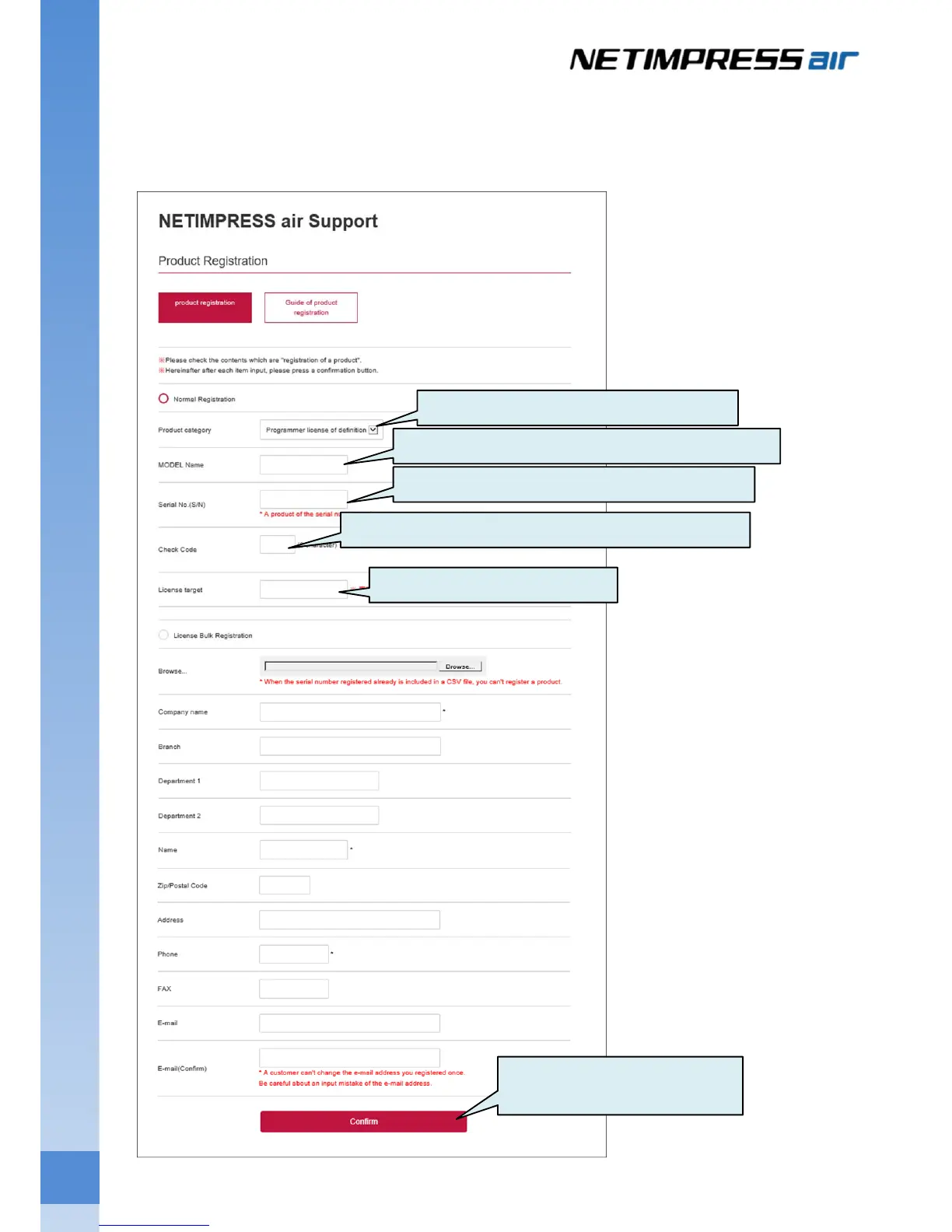
(4) On the Product Registration page, enter contents of license sheet, serial No. of SD card and customer
information, press the "confirm" button. Confirm that there is no mistake in the confirmation screen display
content, and carry out registration.
Select Programmer license of definition.
Enter the contents of MODEL field in the License sheet.
Enter the contents of S/N field in the License sheet.
Enter the contents of Check Code field in the License sheet.
Enter the serial No. of the SD card.
Enter customer's information and
press Confirm button



 To Next Page