33
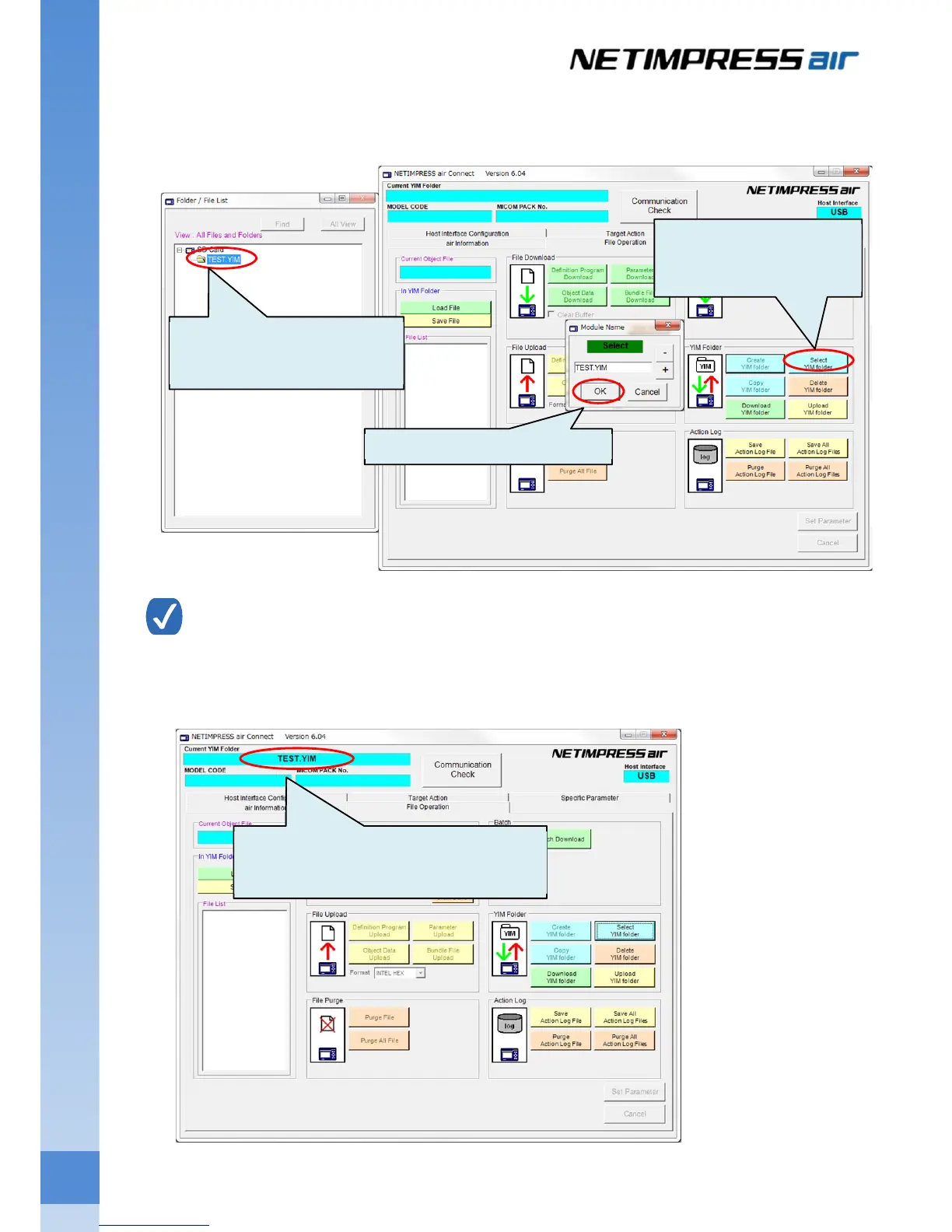
(3) Created folder is shown on the Folder/File List window.
Select the created YIM folder, and then click Select YIM Folder button on the main window.
Click OK button when the folder confirmation window is shown.
YIM folder can also be selected by double-clicking the created folder on the Folder/File List window.
(4) YIM folder you have selected at Step 3 will be a current folder. The YIM folder name is shown on the top of
window.
(1) Select the created YIM
folder.
(2) Click Select YIM Folder
button
(3)Click OK button.
Selected YIM folder name is shown here.
(Current folder)



 To Next Page