59
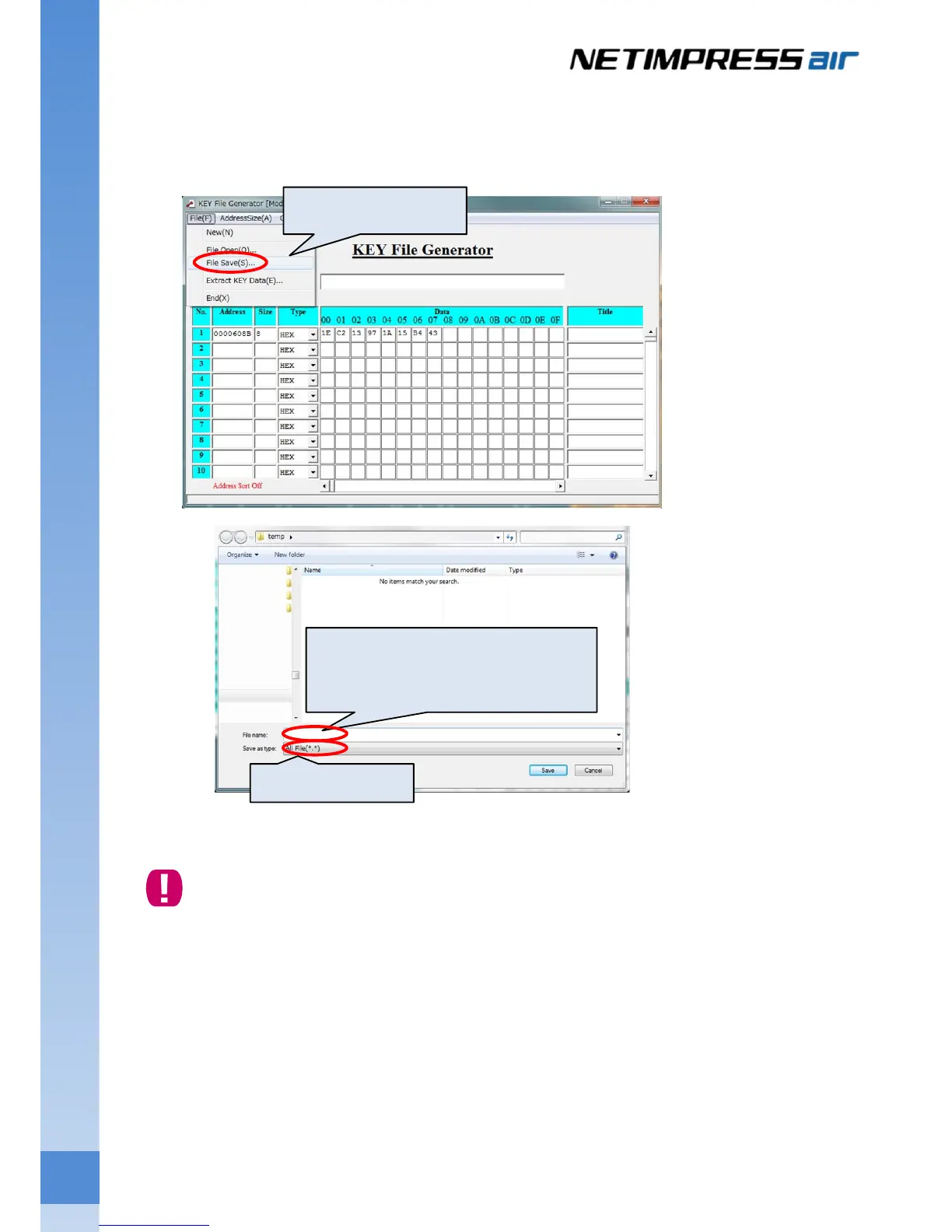
(3) Save KEY file. (From the menu bar [File] menu, select <File Save>.)
Select the KEY file (*.KEY) as a file type, and then specify a path for saving the KEY file.
Set the file name of KEY file, and then click the Save button.
Note that YSM file name has to be the same name with a user object file.
①From the File on the menu bar,
select[File Save].
③Select the path for saving the KEY file, and enter the
KEY file name.
* Note that a Key file name has to be the same name
with an object file.
②Select KEY file(*.KEY).



 To Next Page