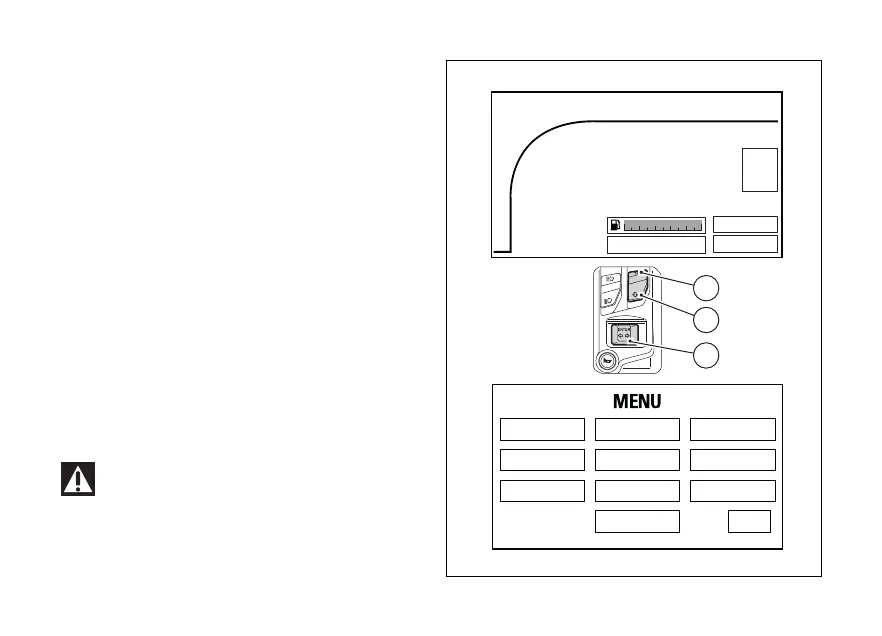
Setting menu
This menu allows enabling, disabling and setting
some motorcycle functions.
To enter the Setting Menu it is necessary to hold
button (2) for three seconds, with Key-ON and
motorcycle actual speed ≤ (lower than or equal to) 5
km/h (3 mph): within this menu, it is no longer
possible to view any other function.
The Setting MENU displays the following functions:
- RIDING MODE
- DISPLAY
- PIN CODE
- LAP
- UNIT SETTING
- DATE & CLOCK
- BLUETOOTH
- SERVICE
- INFO
- TIRE SETTING
Important
For safety reasons, it is recommended to use
this Menu with the motorcycle at a standstill.
TRACK
0
N
LAP
SPORT
98
6
5
4
3
2
1
7
10
11
km/h
RPM x 1000
TOT Km
199999
RIDING MODE
LAP SERVICE
DISPLAY
UNIT SETTING
PIN CODE
DATE & CLOCK
BLUETOOTH
INFO
TIRE SETTING
EXIT
DTC 2
ABS 1
2
1
4
Fig. 56
107












 To Next Page