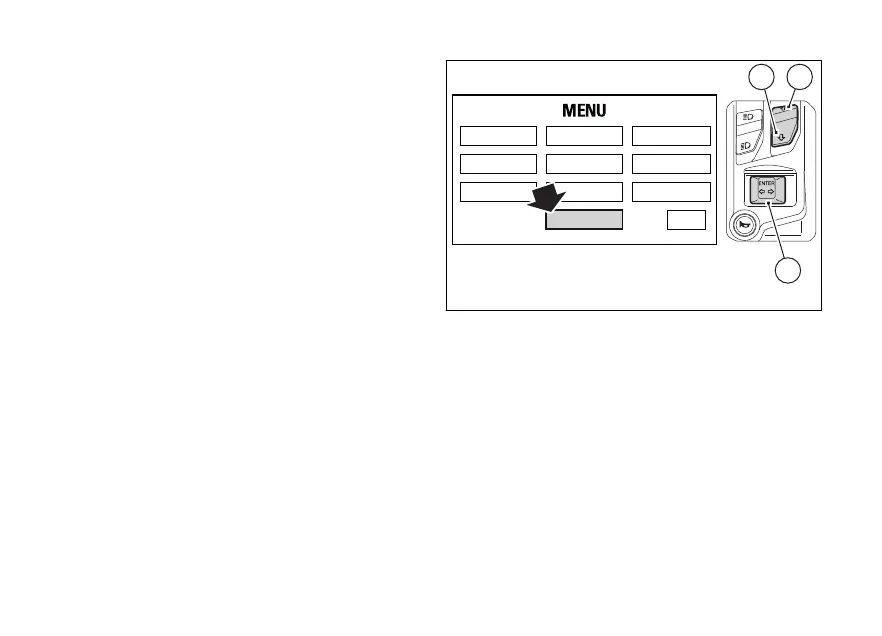
Bluetooth device setting
This function can be activated only if the Ducati
Multimedia System (DMS) and the Bluetooth control
unit are available: for this model the Bluetooth control
unit can be purchased at a Ducati Dealer or
Authorised Service Centre.
This function allows pairing and/or deleting any paired
Bluetooth devices.
To do this, you must enter the Setting Menu.
Select "BLUETOOTH" option, by pressing button (1) or
(2). Once function is highlighted, press button (4).
You enter the "BLUETOOTH" menu, which is active
only if the Bluetooth function is active.
The BLUETOOTH menu is not available if the player is
active or being used, or when there is an incoming
call, a call is in progress or during recall.
To carry out the pairing procedure, refer to "Pairing of
a new device".
To delete any paired devices, refer to "Deleting a
paired device".
RIDING MODE
LAP SERVICE
DISPLAY
UNIT SETTING
PIN CODE
DATE & CLOCK
BLUETOOTH
INFO
TIRE SETTING
EXIT
2
4
1
Fig. 106
161












 To Next Page