LAP
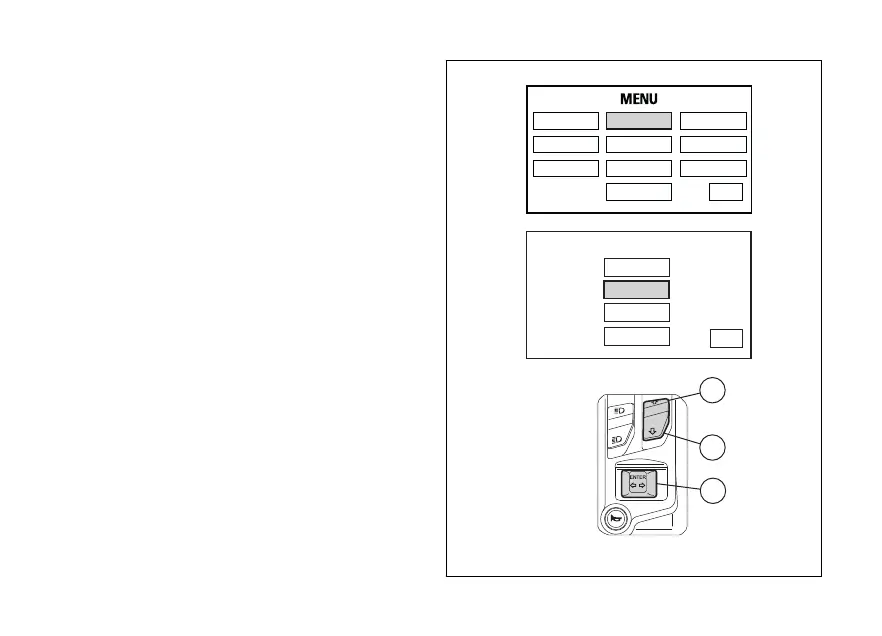
To open the LAP function menu, enter the Setting
Menu. Select LAP option, by pressing button (1) or (2).
Once function is highlighted, press button (4). You
open the LAP Menu.
The menu allows you to:
- disable the LAP function using the OFF button;
- enable the LAP function using the ON button;
- view previously recorded LAPs ("LAP recording"
function) using the LAP DATA button;
- delete recorded LAPs using the ERASE ALL
button.
LAP OFF
OFF
ON
LAP DATA
ERASE ALL
LAP
EXIT
RIDING MODE
LAP SERVICE
DISPLAY
UNIT SETTING
PIN CODE
DATE & CLOCK
BLUETOOTH
INFO
TIRE SETTING
EXIT
1
2
4
Fig. 83
137












 To Next Page