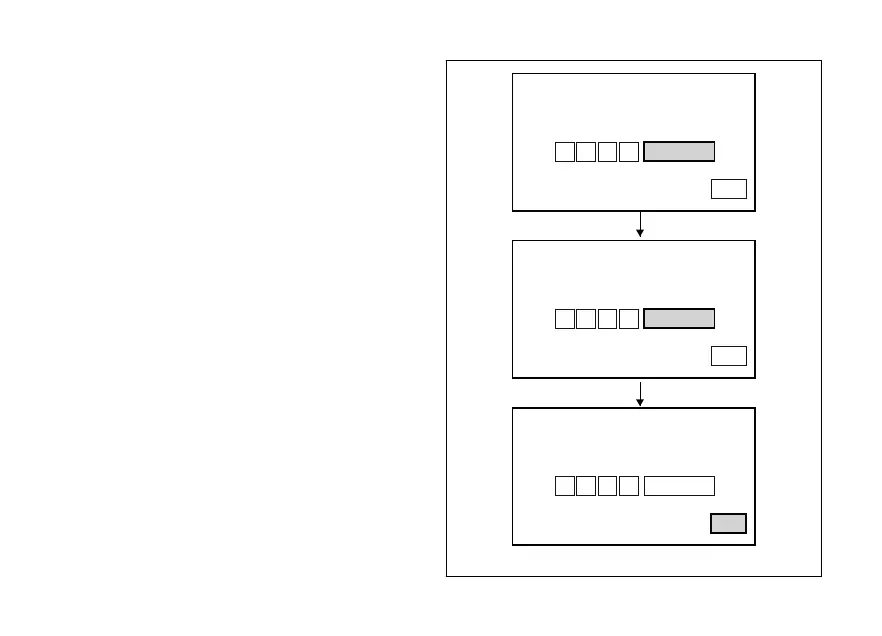
When you press button (4) to confirm the fourth and
last digit, the instrument panel highlights the
message MEMORY.
To save the new setting, hold button (4) for 3 seconds
while the message MEMORY is highlighted in
orange.
If storage is successful, MEMORIZED will be
highlighted in green for 1 second, and then EXIT will
be highlighted in green.
Once the first PIN CODE is stored, this menu page is
no longer available and is replaced by the page for
changing the PIN CODE. The page for entering the
very first PIN CODE is active and available again only
in case the PIN CODE function is reset (but this is only
possible at a DUCATI Authorised Service Centre).
PIN CODE
INSERT PIN CODE
EXIT
MEMORY
2 6 9 3
MEMORY
2 6 9 3
2 6 9 3
PIN CODE
INSERT PIN CODE
EXIT
MEMORIZED
PIN CODE
INSERT PIN CODE
EXIT
Fig. 78
132












 To Next Page