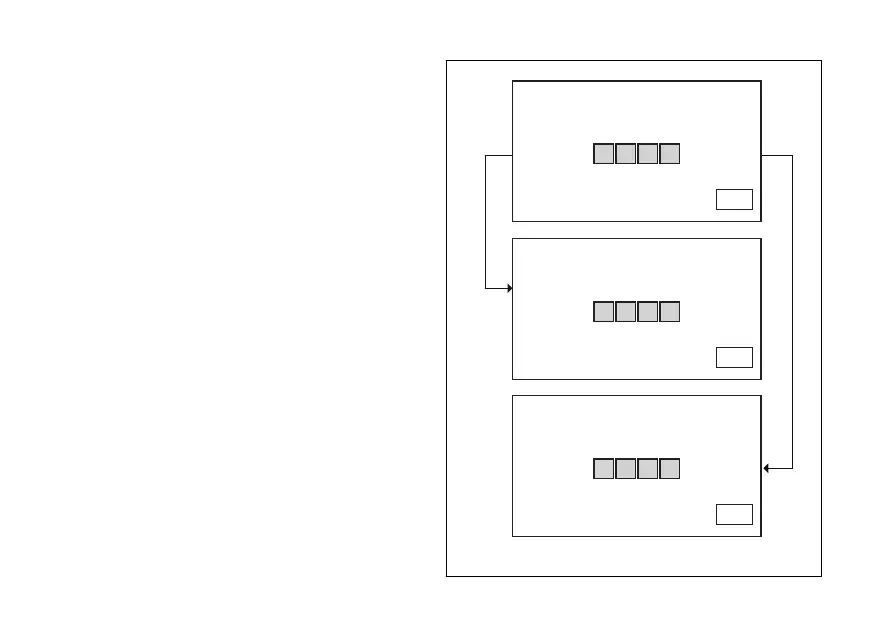
When you press button (4) to confirm the fourth and
last digit:
- if the PIN code is not correct, the instrument
panel displays WRONG for 3 seconds and then
highlights the string of four dashes "- - - -" to allow
you to try again. The number of possible attempts
is determined by a preset time-out of 2 minutes.
After this time, the instrument panel shows the
Standard screen, triggers the E-LOCK error and
disables the opportunity to enter the Setting
Menu.
- If there is a problem during the PIN CODE check,
the instrument panel displays ERROR for 3
seconds and then responds in the same way as
for the WRONG error.
- If the PIN code is correct, the instrument panel
displays CORRECT for 3 seconds and then
shows the "Standard screen" and triggers the E-
LOCK error to still show the user that there is a
problem with key reading/acknowledgement.
INSERT PIN CODE
EXIT
2 4 8 7
CORRECT
INSERT PIN CODE
EXIT
2 4 8 7
WRONG
INSERT PIN CODE
EXIT
2 4 8 7
Fig. 129
191












 To Next Page