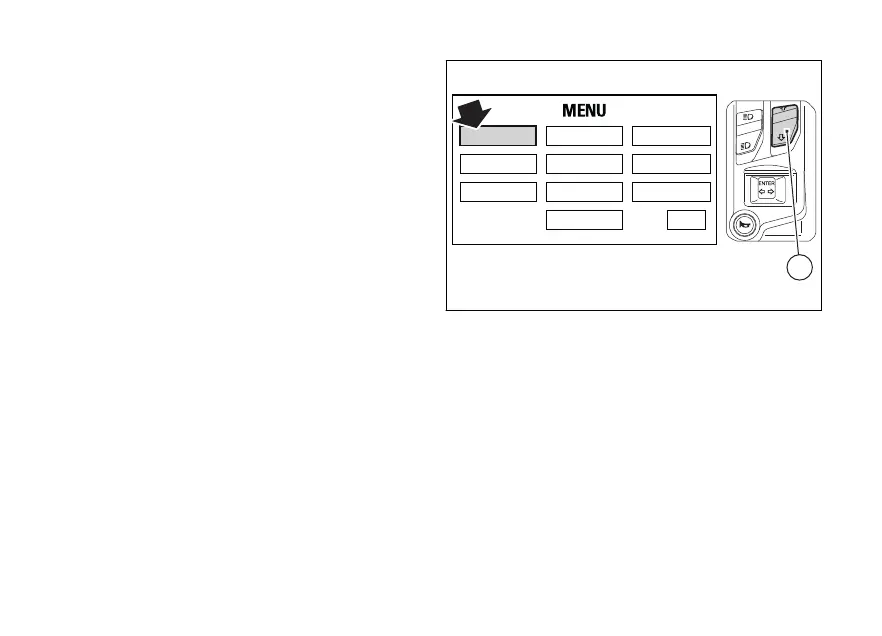
When the standard screen of set layout is displayed,
hold button (2) for 3 seconds, when actual motorcycle
speed is <= (lower than or equal to) 20 km/h (12 mph),
to enter the Setting menu, where you can set any
function.
You can enter the SETTING MENU only if vehicle
actual speed is <= (lower than or equal to) 5 km/h (3
mph). Within the SETTING MENU, if vehicle actual
speed exceeds 5 km/h (3 mph), the instrument panel
automatically quits the menu and shows the Standard
Screen.
RIDING MODE
LAP SERVICE
DISPLAY
UNIT SETTING
PIN CODE
DATE & CLOCK
BLUETOOTH
INFO
TIRE SETTING
EXIT
2
Fig. 13
42












 To Next Page