121
Dukane Manual Part No. 403–566–01
Section 11 – DPC Checkout
System Operation
1. If the generator is not online, press the ON
LINE
key. This is labeled E in Figure 11–1.
The green
ON LINE status should light up (F
in Figure 11–2).
2. Program the appropriate weld method and time
or energy to achieve the desired welding results.
3. Apply the probe to the components to be ultra-
sonically joined, and press the probe’s activation
switch, or press the palm switches on the press
base. In automation systems, the customer sup-
plies external controls to trigger the generator.
4. The Power Output display will light up to in-
dicate the percentage of power being delivered
to the probe while the trigger switch is en-
gaged.
5. The Power Output display should never reach
100% during normal operation.
6. The Power Output display should go blank in-
dicating zero output power, after the probe trig-
ger is released.
Stopping the Weld Cycle
Hand Probe System
Release the trigger switch on the hand probe
to stop the welding cycle.
Automated System
The customer-supplied external controls pro-
vide the means to stop the welding cycle for
an automated system.
Press System
Push in the Emergency Stop button on the
press base to stop the welding cycle.
STATUS
FAULT
ON LINE
INPUT TEST
OVERTEMP
OVERLOAD
OFF LINE
ON
LINE
TEST
OFF
LINE
0
20 40 60
80 100
PERCENTAGE OF AVAILABLE POWER
PERCENTAGE OF AVAILABLE POWER
SYSTEM POWER OUTPUT
End of Day
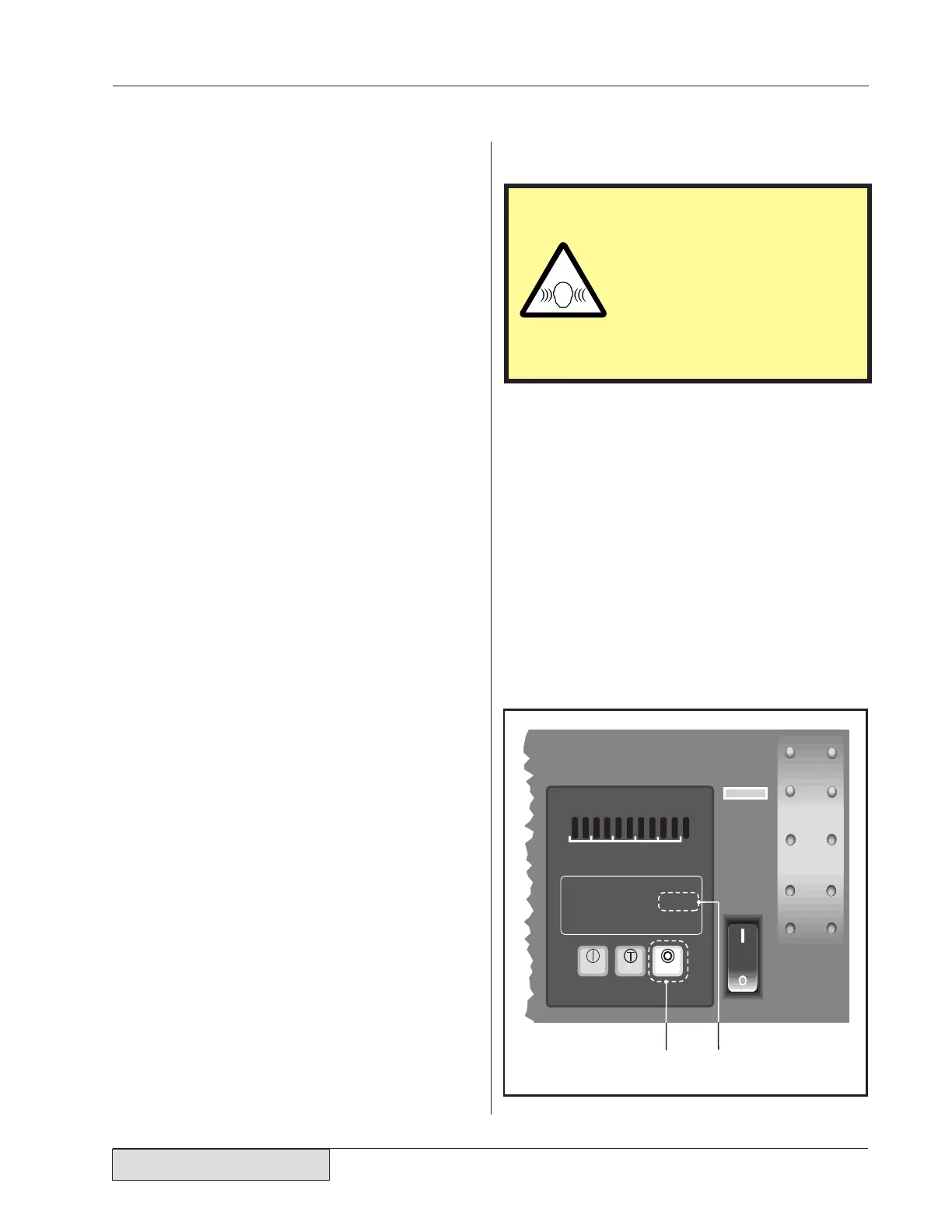
Push the OFF LINE generator control key on
the front panel (I in Figure 11–3).
The yellow OFF LINE status indicator (J in Fig-
ure 11–3) should be illuminated.
Figure 11–3 Stopping the Weld Cycle
CAUTION
Any unusually loud noise
from the probe stack in-
dicates that it has been
improperly assembled.
Check the probe stack for
proper assembly and cor-
rect torque readings.


 To Next Page