32
Dukane Manual Part No. 403–566–01
DPC
™
II Plus and EZ Welder System – User’s Manual
System Power Output Display
The tricolor System Power Output Display indi-
cates the percentage of ultrasonic power being
drawn by the load.
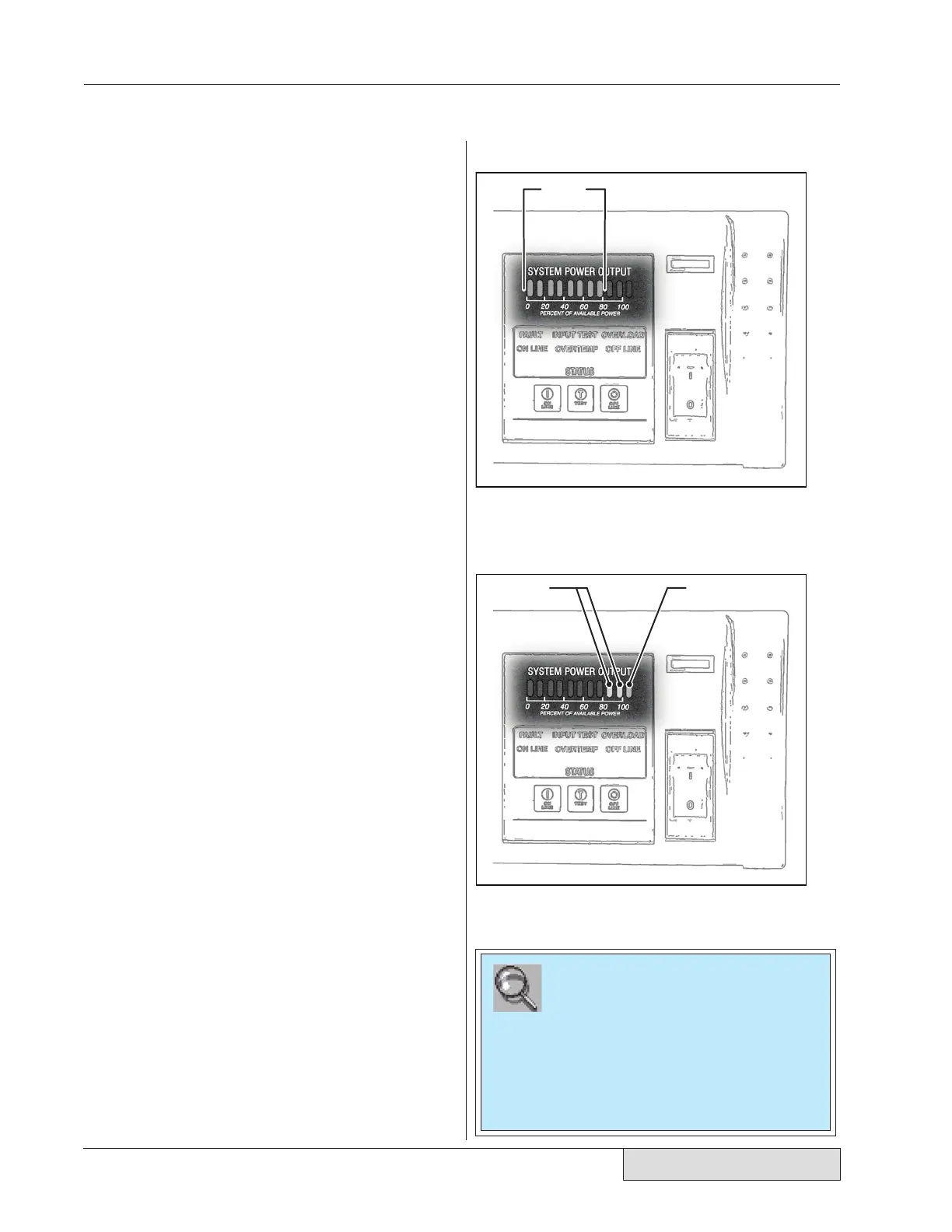
Green Eight green vertical bars indicating
10% to 80% power output are dis-
played during normal operation. Fig-
ure 4-5 shows the display indicating
80% output power.
Yellow Two yellow bars for 90% and 100%
power output warn that the genera-
tor is operating near its maximum
rated output.
Red The last red bar indicates that the
generator is in an overload condition
delivering more than its rated out-
put power. Figure 4-6 shows the red
overload and two yellow warning in-
dicators. The red warning indicator
lights up just prior to an overload
condition. The ultrasonic signal is
shut down when an overload condi-
tion occurs.
GREEN
YELLOW
RED
Figure 4–6 Warning Indicators
Figure 4–5 Normal Operation
NOTE
The available output power is directly propor-
tional to the Amplitude setting.
Example: A 2200 Watt rated DPC set to 80%
Amplitude will overload at 1760 Watts.
(2200W
x
0.80 = 1760 Watts)


 To Next Page