Dune HD Base 3.0 user manual
10
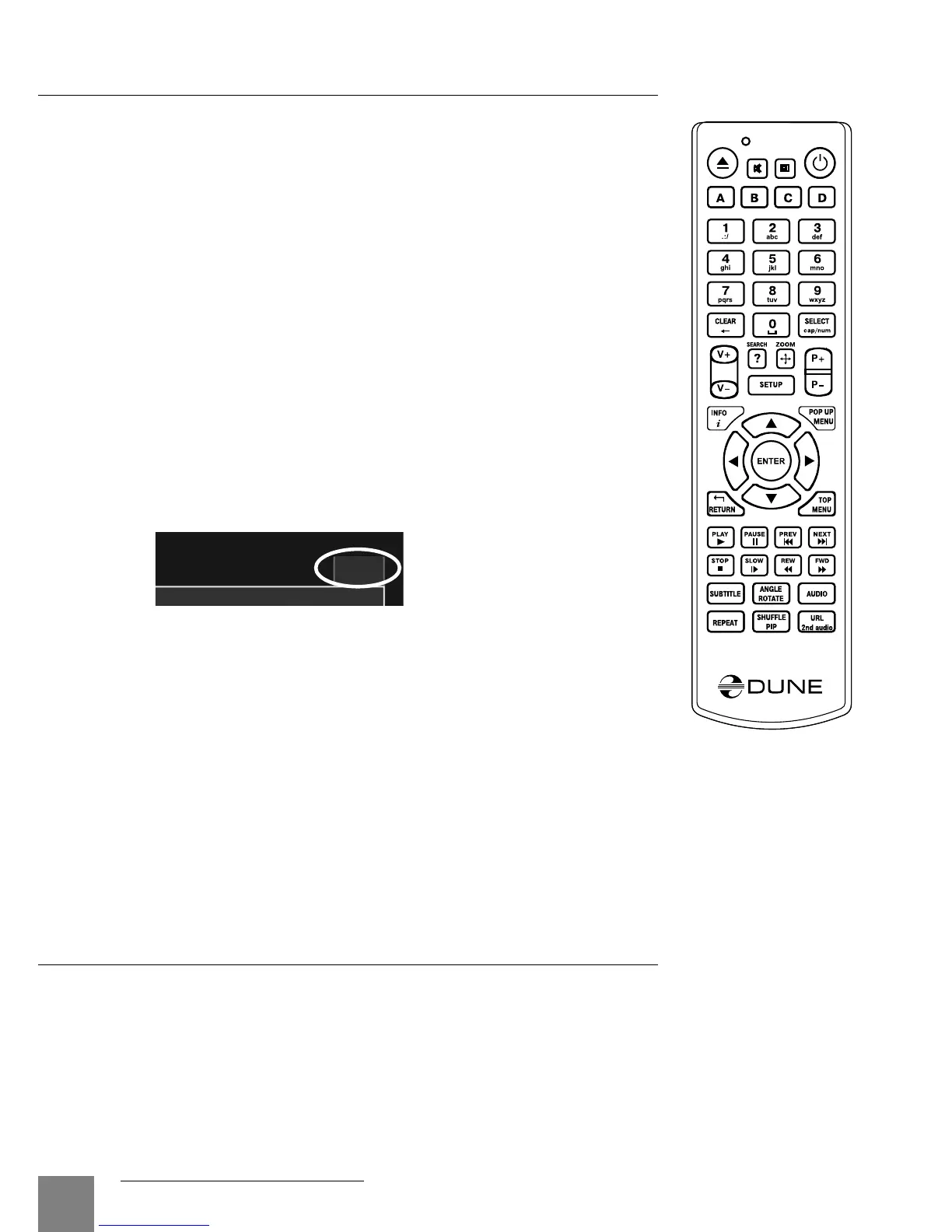
Entering Text with Remote Control
Generally, entering text is carried out the same way as with most cell
phones.
0, 1, 2, 3, 4, 5, 6, 7, 8, 9: Enter a character to the position pointed by
the cursor.
First press: enter the first character from a set of characters related to
this button. Each subsequent press: you may change the entered char-
acter to the next one from this set.
● 0: enter the space.
●1: enter a special character (punctuation marks, etc).
● Up, Down, Left, Right after pressing 1 (special character entering
mode): select the required character.
ENTER — confirm selection; finish text entering.
SUBTITLE — enter the period (for numeric mode); functions like button
1 (character mode).
CLEAR (<-) — delete a character to the left of cursor.
SELECT (cap|num) — switch input mode:
abc: character mode, small latin letters.
ABC: character mode, capital latin letters.
123: numeric mode, digits.
RETURN — cancel the text changes and finish text entering.
Left/Right — move the cursor one character left/right.
Up/Down — move the cursor to the start/end of a text line.
● If the cursor is already in start/end position: select another user interface element which is
under/over the current text entry area (only for dialogs with several elements of user interface;
text changes are confirmed automatically).
POP UP MENU — show context menu with a list of available commands. They allow you to cut,
copy and paste text using the clipboard, much like it is done on a PC.
abc
Standby Mode
Pressing the POWER remote control button switches the player to the Standby mode. In
this mode the internal HDD (if installed) is turned off, as well as the video output, but the
device does not switch off completely.
To activate the player from the Standby mode, press the POWER remote control button once
again. The player will be switched on immediately (within several seconds).
Note: you can also configure the player to power off completely when pressing the POWER
remote control button (see Setup / Miscellaneous / Advanced / "POWER" remote button).



 To Next Page