Dune HD Base 3.0 user manual
26
Marking Files and Folders
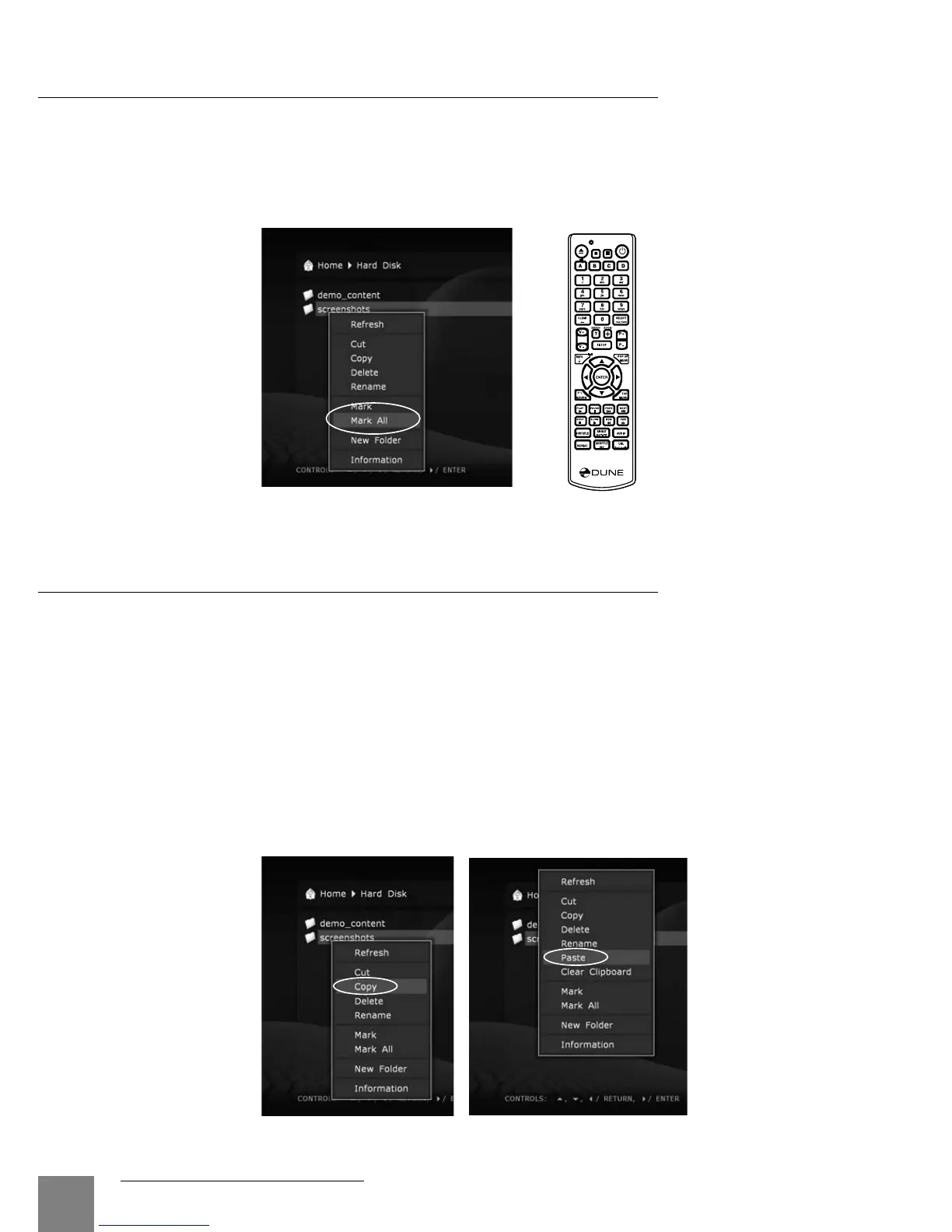
To execute operations with several files/folders at the same time, you may mark these files/
folders. Use SELECT button on your RC or commands of the context menu.
You may mark files/folders only within the current folder. In case of switching to another folder,
the information on marks will be reset.
Copying and Moving Files and Folders
● Copying and moving files/folders is performed using the clipboard, much like it is done on
a PC.
● To copy files/folders you need first to copy them to the clipboard, then go to the target folder
and perform the Paste action.
● To move files/folders, you should first cut them to the clipboard, then go to the target folder
and perform the Paste action.
● Cut, Copy and Paste actions may be executed using the context menu.
● In case of copying or moving a folder, its content will be copied/moved entirely, including all
subfolders and their contents.
● To copy or move several files/folders at once, you should mark these files/folders.



 To Next Page