Dune HD Base 3.0 user manual
12
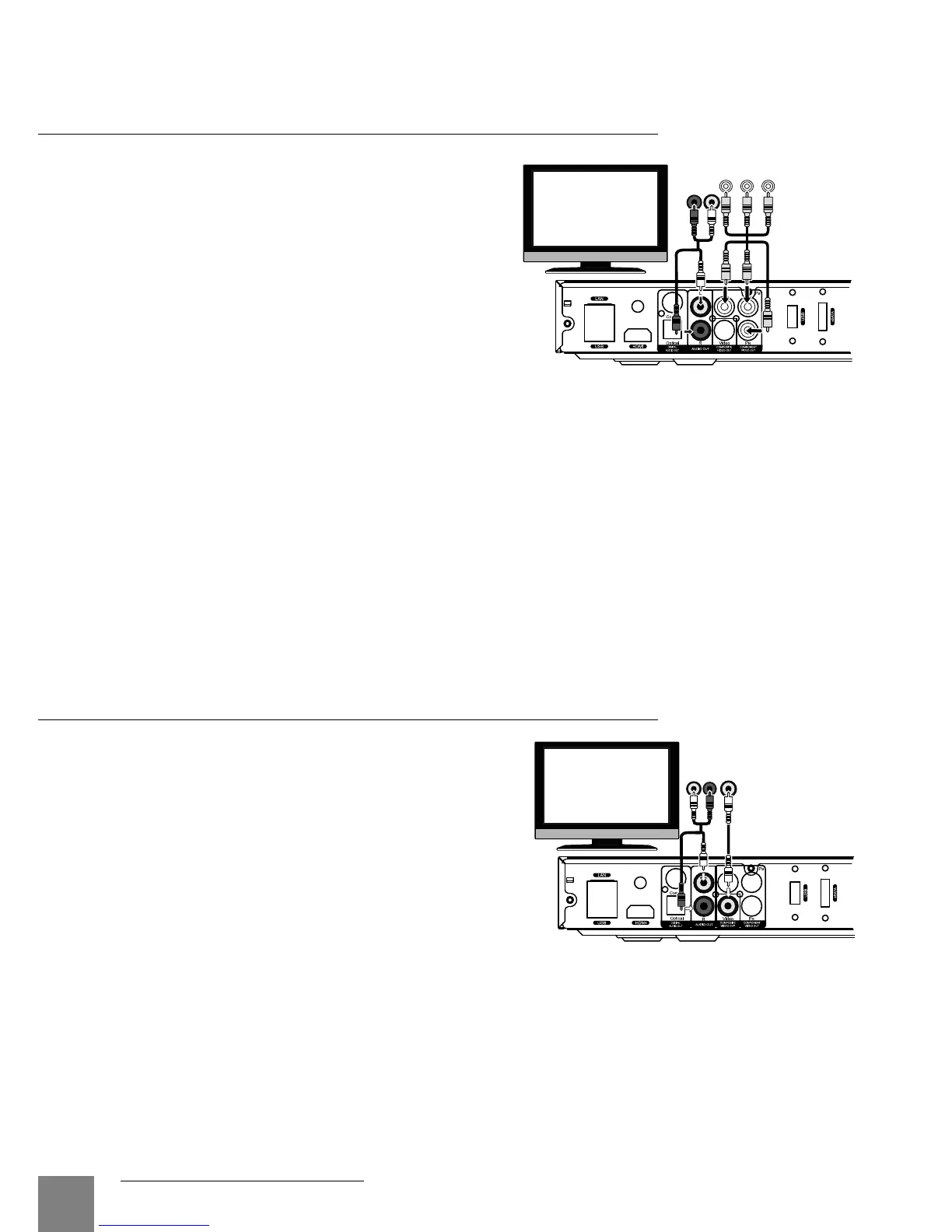
Connecting a TV/Monitor/Projector
with Component (Y/Cb/Cr) Video Input
For this connection you should use a
3RCA-3RCA video cable and (optionally) a
2RCA-2RCA audio cable for sound trans-
mission to your TV set. Please note that
video cable shall have an impedance of 75
Ohm, i.e. specially designed for transmis-
sion of analog video signal.
1. Make sure that the player and the display-
ing device are switched off. Do not switch
them on until the connection procedure is
finished.
2. Connect the component video output of the media player to the relevant TV/monitor/projec-
tor input using a 3RCA-3RCA cable.
3. Optionally connect the analog stereo audio output (AUDIO L/R) of the player to the relevant
input of a TV/monitor/projector using a 2RCA-2RCA cable. Instead, you can use optical
cable to transmit digital audio to your AV receiver; in this case better audio quality may be
expected.
4. Using RC/buttons of TV/monitor/projector, select the required input and display mode. For
further instructions please refer to the manual of your displaying equipment.
5. Power on the devices. Wait until the initial screen (a "DUNE" logo) is shown.
Connecting a TV/Monitor/Projector
with Composite Video Input
Since this kind of connection does not pro-
vide a high-quality picture, we recommend
to use it only in case your TV/monitor/pro-
jector does not have High Definition video
interfaces, such as HDMI, DVI or Component
(Y/Cb/Cr).
1. Make sure that the player the TV/monitor/pro-
jector are switched off. Do not switch them on
until the connection procedure is finished.
2. Connect the media player to the relevant TV/
monitor/projector input using an RCA-RCA cable.
3. Optionally connect the analog stereo audio output (AUDIO L/R) of the player to the relevant
input of the TV/monitor/projector using a 2RCA-2RCA cable. Instead, you can use optical
cable to transmit digital audio to your AV receiver; in this case better audio quality may be
expected.
4. Using the RC/buttons of your TV/monitor/projector, select the required input and display
mode. For further instructions please refer to the manual of your displaying equipment.
5. Power on the devices. Wait until the initial screen (a "DUNE" logo) is shown.
AUDIO IN
RL
COMPONENT
VIDEO IN
RL
AUDIO IN
VIDEO IN



 To Next Page