Dune HD Base 3.0 user manual
22
Network
This section describes main parameters of connecting the media player to a LAN or
Internet.
Connection. You may select a type of connection which will be used by default. It may be Wired
(Ethernet) or Wireless (Wi-Fi) (optional). Alternatively, the connection may be disabled at all.
To use a Wi-Fi connection, you need to ensure that a Wi-Fi module (optional) is connected to
the player. Please see here for the information on supported Wi-Fi modules: http://dune-hd.
com/support/hw_compat/.
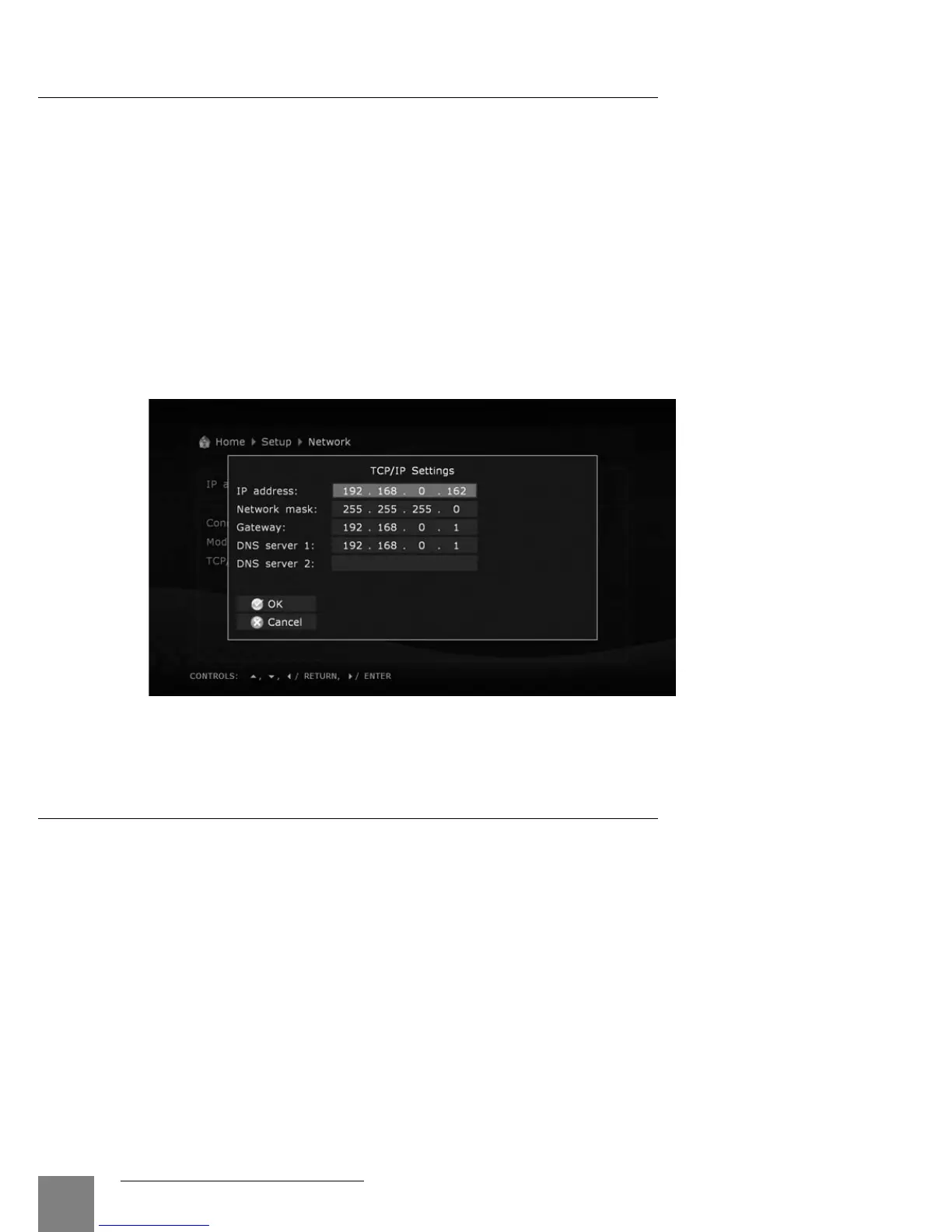
Selection of networking mode:
Auto (DHCP): The media player is instructed to automatically receive an IP address and other
parameters required for TCP/IP network.
Manually: All TCP/IP parameters are set by the user.
Applications
This section allows to configure various additional applications and functions of the
player.
For more information about these additional applications and functions, please see here:
● Internet radio:
http://dune-hd.com/support/inet_radio/
● IPTV:
http://dune-hd.com/support/iptv/
● Torrent client:
http://dune-hd.com/support/torrent_client/
● Various information:
http://dune-hd.com/support/



 To Next Page