EN-204 User and Installation Guide
20
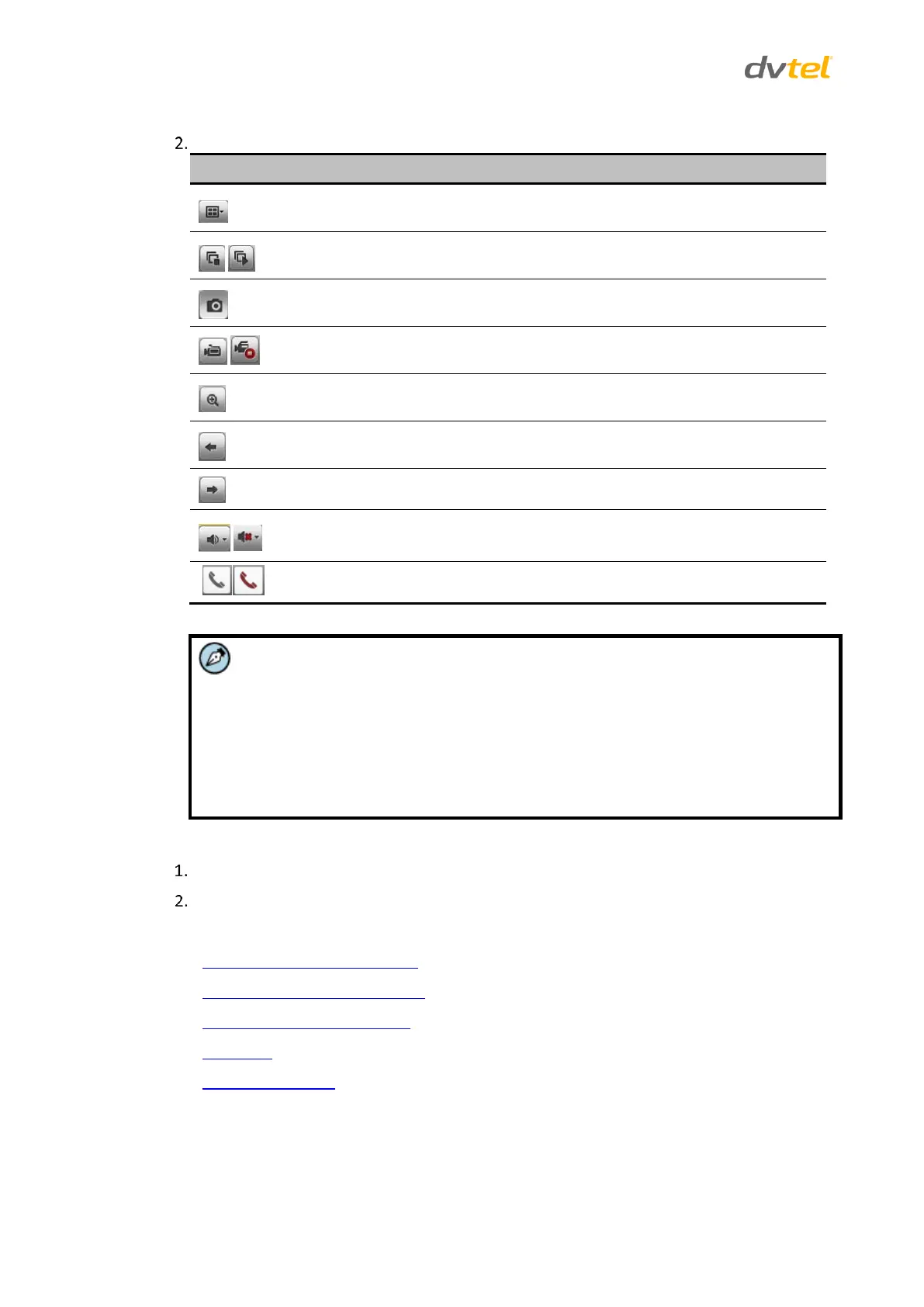
Select a button for the desired action from the Live View toolbar:
Select the display mode (1x1 or 2x2)
Start/stop all Live View cameras
Capture pictures in Live View mode
Manually start/stop all recording
Enable e-PTZ (requires a connected PTZ camera)
Audio Out on/off- starts/stops audio monitoring by the web client on the
active channel.
Start/stop Two-Way Audio with the web client. See note below.
The Two-Way Audio button enables you to use the web client to receive and
transmit audio through the encoder by attaching an external microphone and
loudspeaker.
This function uses the LINE IN audio jack and the AUDIO OUT jack. When the
button is in Start mode (black icon), the audio communication is enabled. When
the button is in Stop mode (red icon), the audio communication is disabled.
To switch between Live View and Full-Screen Mode
Double-click a Live View tile to switch to the full-screen viewing mode.
To switch back to Live View mode, double-click on the screen.
This section includes the following topics:
Using PTZ Controls in Live View (page 21)
Creating and Retrieving a Preset (page 22)
Configuring Video Parameters (page 23)
Recording (page 23)
Capturing a Picture (page 24)



 To Next Page