EN-204 User and Installation Guide
44
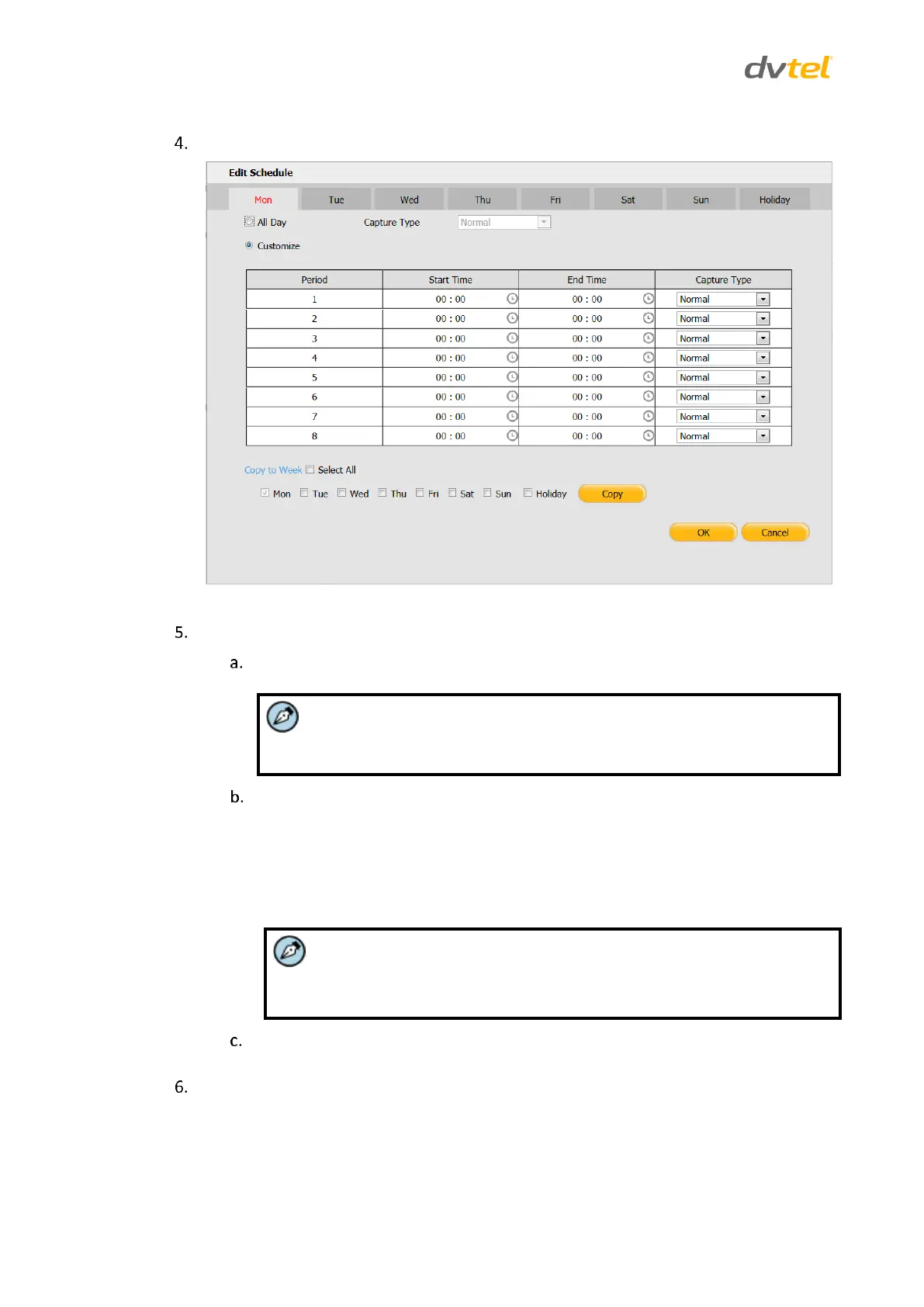
Click Edit. The Edit Schedule screen opens.
Figure 44: Capture Edit Schedule Screen
Do the following:
From the tabs at the top of the screen, select the day of the week or holiday to
configure scheduled recording.
The Holiday tab is not displayed by default. To enter a holiday, see
Holiday Settings (page 56).
Do one of the following:
To set a capture schedule for an entire day, check All Day.
To set a capture schedule during different time periods, check
Customize.
o Set the Start Time and End Time for each period.
Up to 8 periods can be configured. The time of each period cannot be
overlapped.
Select a Capture Type for the entire day or time period from the following options:
Normal, Motion Detection, Alarm, Motion | Alarm, or Motion & Alarm.
To copy the settings to other days of the week, do one of the following:
Check Select All to copy settings of a particular day to the whole week.
Check the day(s) and click Copy to copy settings of a particular day to
another day.



 To Next Page