Accessing the EN-204 via a Web Browser
55
5.4.3.9 Text Overlay
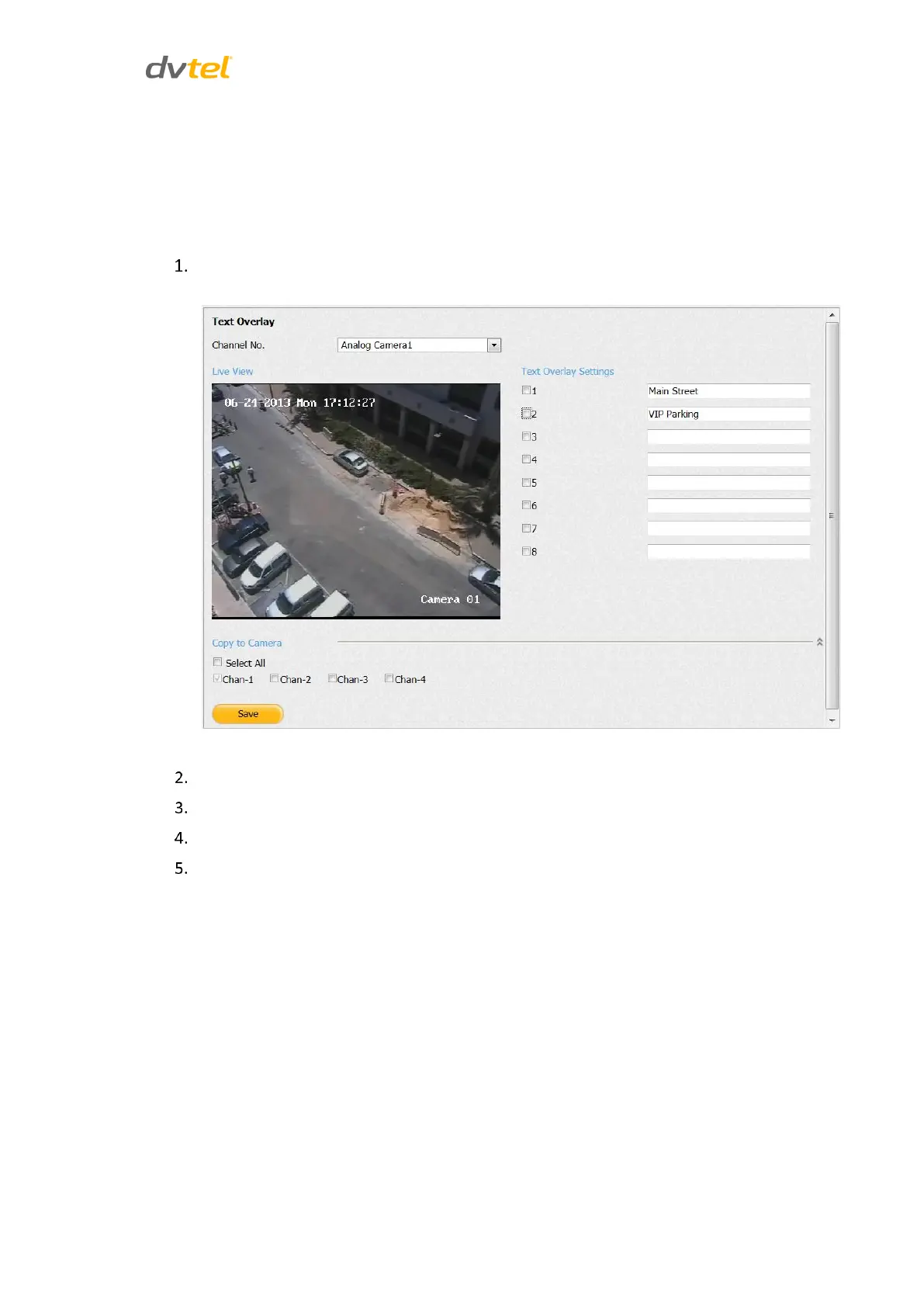
The Text Overlay function enables you to write text for up to 8 overlays in the On-Screen Display
(OSD).
To activate the Text Overlay function
From the Configuration sidebar menu, select Camera Settings > Text Overlay. The Text
Overlay screen opens.
Figure 55: Text Overlay Screen
From the Channel No. drop-down list, select a camera.
In the Text Overlay Settings area text box, enter text to display on-screen.
Select the checkbox next to the text in order to display the text.
In the Copy to Camera area, do one of the following:
Check Select All to copy the text to all cameras.
Select a camera checkbox to copy the text to that camera.



 To Next Page