Accessing the EN-204 via a Web Browser
35
5.4.2.1 Time Settings
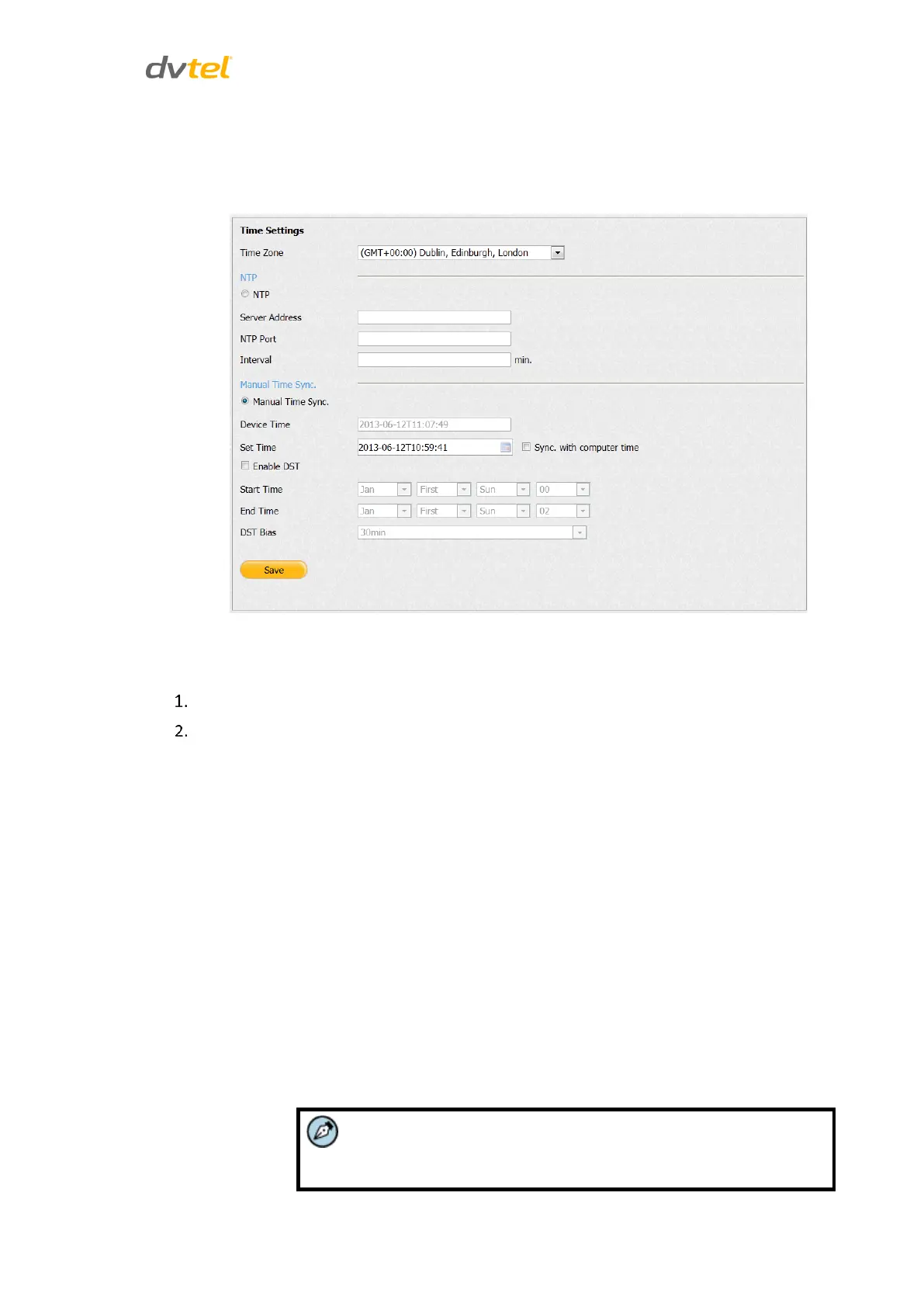
From the Configuration sidebar, select Device Parameters > Time Settings to set the local time. The
Time Settings screen is displayed.
Figure 37: Time Settings Screen
To configure time settings
Select the local time zone from the drop-down list.
Select one of the following options:
NTP to configure time from a Network Time Server
In the respective text box, enter the Server Address, NTP Port
and Interval (number of minutes between requests for
synchronization) for the NTP server.
Manual Time Sync. to set the time manually
In the Device Time text box, enter the local time.
Do one of the following:
In the Set Time text box, enter the local time.
Check Sync. with computer time to set the time from
your PC.
Check Enable DST to enable Daylight Savings Time
Set the Start Time, End Time and DST Bias for Daylight
Savings Time.
The DST Bias is the offset from UTC used when DST is in effect. It
is displayed in +/-HHMM format.



 To Next Page