Accessing the EN-204 via a Web Browser
51
To set the video loss triggered action
In the Actions area, check the action:
Notify Surveillance Center – When an event occurs, an ONVIF alarm
message is sent to the remote client PC in the Video Management
System.
Send Email – When an event occurs, an email is sent with alarm information
to a user or users. To configure email settings, see Email (page 63).
In the Trigger Alarm Output area, do one of the following:
Check Select All to trigger an external alarm output on both alarm
outputs.
Check A->1 to trigger an external alarm output on alarm output 1
Check A->2 to trigger an external alarm output on alarm output 2.
Click Save.
5.4.3.7 Privacy Mask
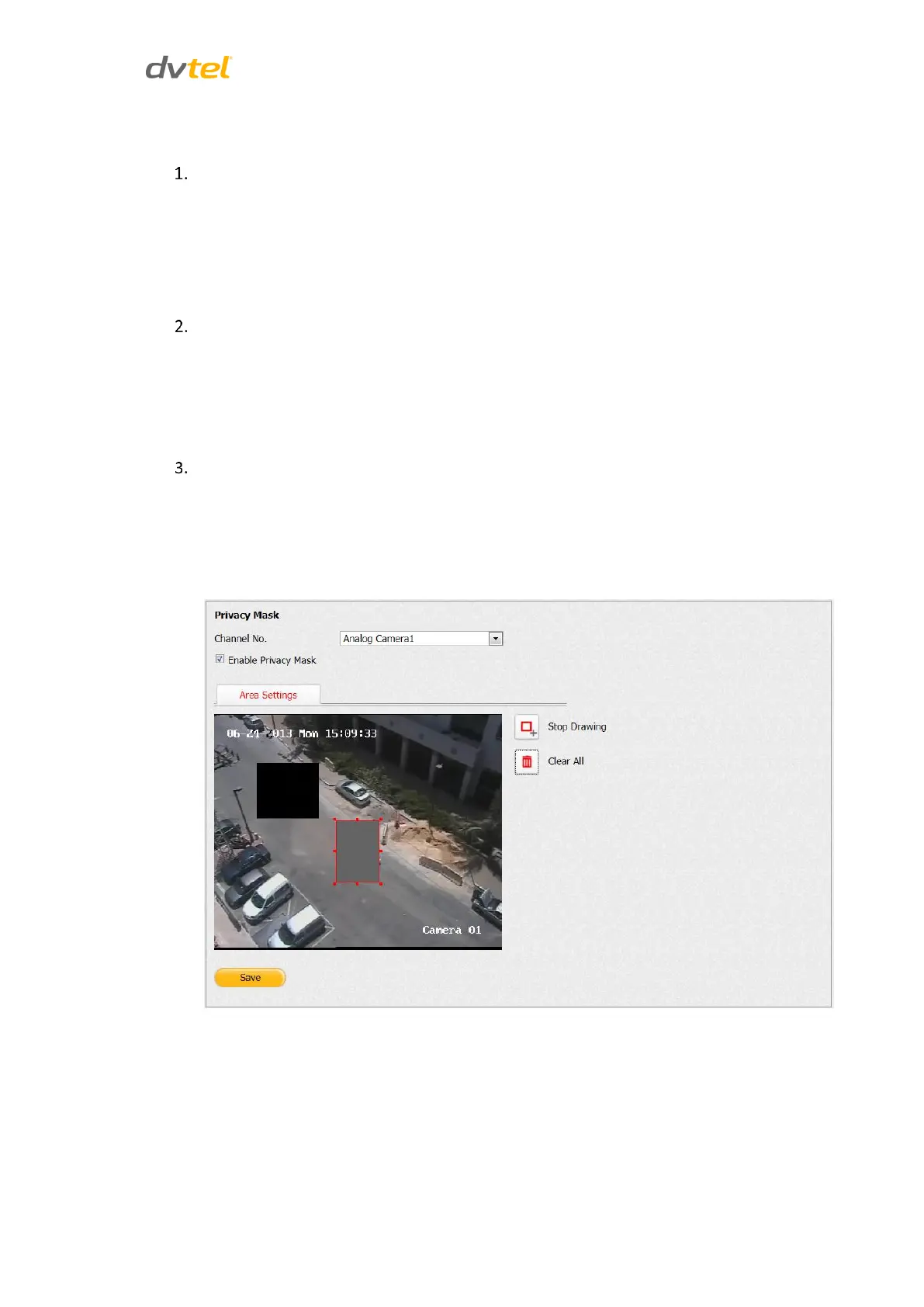
The Privacy Mask function enables you to hide sensitive areas on the video in the Live View and
during recording. From the Configuration sidebar menu, select Camera Settings > Privacy Mask.
The Privacy Mask screen opens.
Figure 51: Privacy Mask Screen



 To Next Page