EN-204 User and Installation Guide
28
To playback video
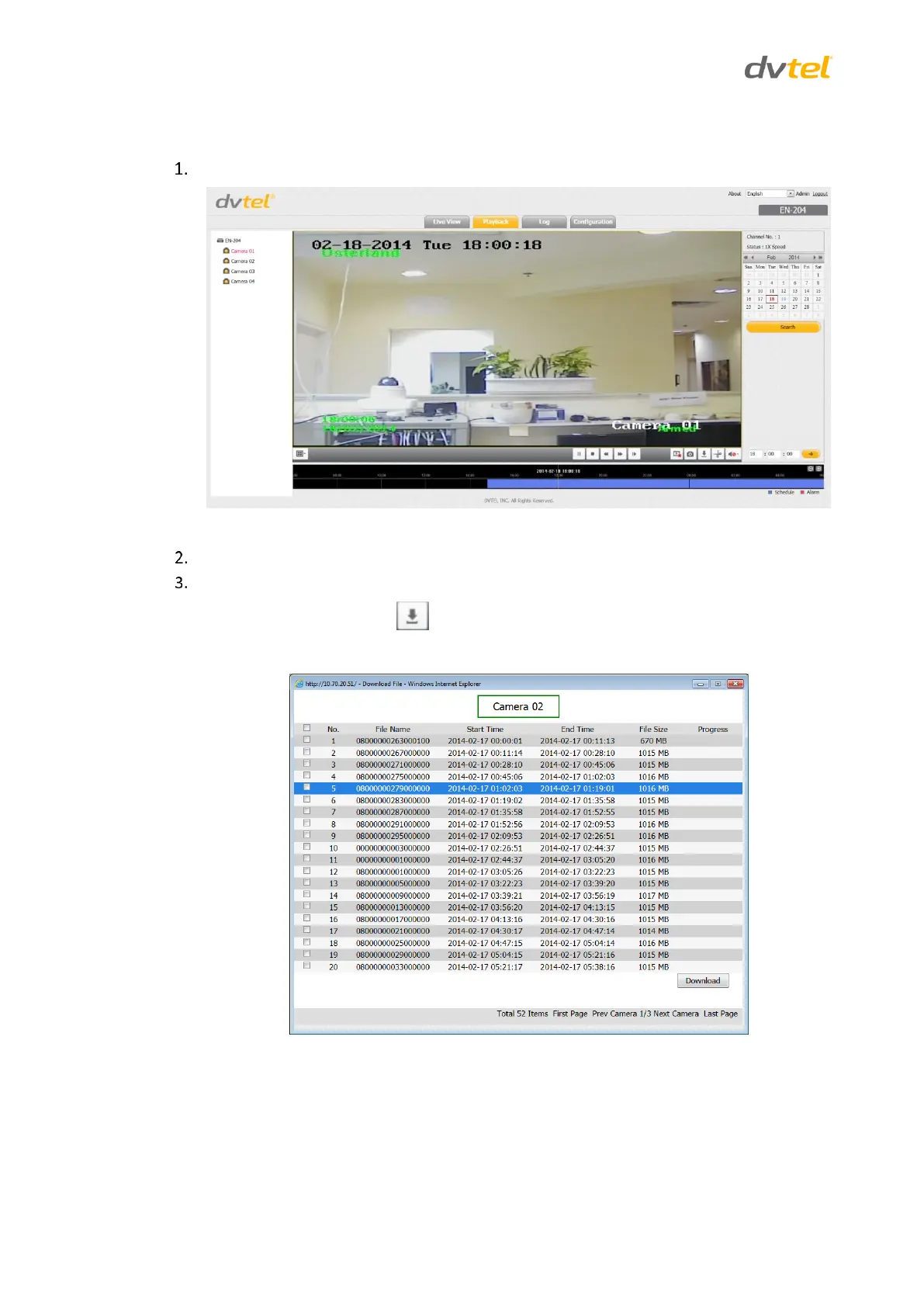
To enter the Playback screen, click Playback on the menu bar. The Playback screen opens.
Figure 28: Playback Screen
Select a camera from the device list.
To download a file, select one of the following methods:
Click the Download button to download a video file.
a. Select the clip from the Download File popup that opens.
Figure 29: Download File Popup



 To Next Page