Accessing the EN-204 via a Web Browser
21
5.1.1 Using PTZ Controls in Live View
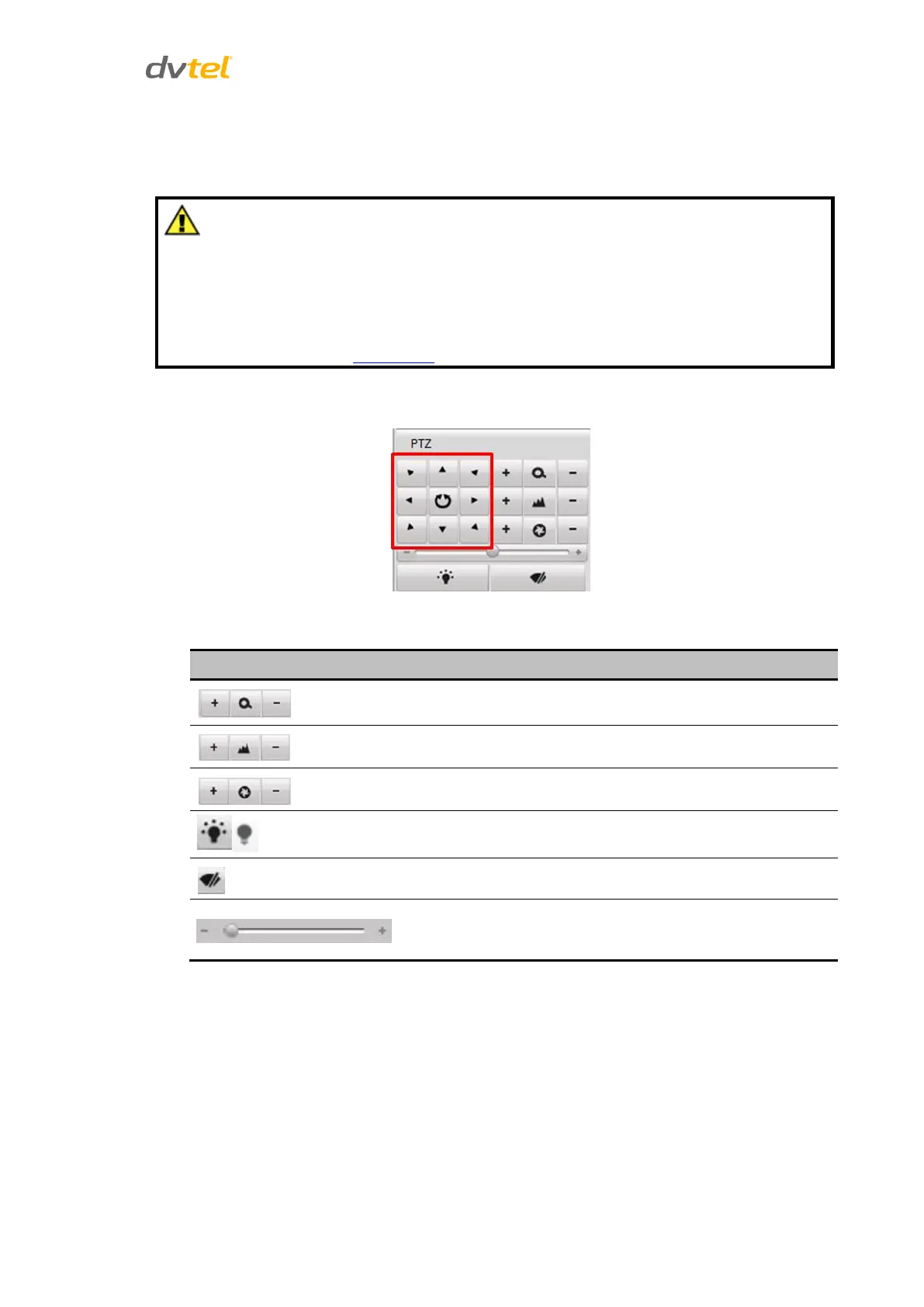
Use the PTZ control buttons in the Live View screen to pan, tilt, and zoom the camera lens.
1. Before you start, make sure the PTZ camera’s R+ and R
-
terminals are connected
to the D+ and D- terminals in the RS-485 terminal block on the unit’s rear panel.
See Figure 2: EN-204 Rear Panel (page 4).
2. The baud rate, PTZ control and address configured in the encoder’s RS-485
Settings screen must be the same as the parameters of the connected PTZ
camera. See RS-485 Port (page 13).
There are 8 directional buttons (up, down, left, right, upper left, upper right, bottom left, bottom
right) on the PTZ keypad to control the pan/tilt movement.
Figure 22: PTZ Control Buttons
Select one of the following buttons to control other PTZ movements from the PTZ keypad:
Adjust speed of pan/tilt movement
(levels 1-7 are selectable)



 To Next Page